

What information should field time capture?
A timestamp alone answers only one question. Construction teams usually need enough context to allocate labor, calculate pay, review exceptions, and explain what changed later. Define that record before comparing products.
- CaptureWorker, time, location when relevant, job, cost code, role, and notes.
- EvaluateApply configured schedules, pay rules, thresholds, and required fields.
- ApproveRoute exceptions to the supervisor who knows the work.
- TransferSend approved detail to payroll, accounting, and job-cost reporting.
The necessary fields vary. A service contractor may need customer, work order, and travel time. A general contractor may need project and cost code. A contractor performing covered work may also need a reliable project and classification trail for the payroll process. The software should fit that operating model without asking every worker to sort through an accounting chart.
Which construction time tracking features matter most?
A product can claim every familiar feature and still fail the actual workflow. Use the proof test in the third column during the demo.
| Requirement | Why it matters | What the vendor should prove |
|---|---|---|
| 1. Mobile field capture | Crews need a fast, accessible way to enter time away from a desk. | A worker clocks in, transfers work, adds required context, corrects a mistake, and submits from the devices you will support. |
| 2. Location controls | GPS or geofencing can discourage remote punches and help flag location exceptions. | Show when location is collected, what managers see, how exceptions work, and how policy and consent are handled. |
| 3. Job and cost codes | Labor must land on the right project and activity for useful job-cost reporting. | A worker sees only valid choices, transfers between them, and sends the detail to the accounting structure without rekeying. |
| 4. Pay context | Role, classification, shift, union, location, or project can affect how time is treated. | Your hardest valid combination calculates as expected and remains traceable on the time record. |
| 5. Supervisor approvals | The field supervisor is often best positioned to resolve a missed punch or incorrect allocation. | Exceptions reach the correct approver, include enough context, and can be handled without reviewing every clean timecard. |
| 6. Rule and exception visibility | Overtime risk, missed punches, long shifts, and unapproved time need attention before payroll closes. | Alerts are timely, explainable, and assigned to an owner rather than buried in a report. |
| 7. Edit history | Payroll should be able to explain who changed what, when, and why. | Trace a worker edit and a manager correction from the original entry to the approved value. |
| 8. Downstream connections | Approved time loses value when payroll or accounting must rebuild it. | Show the actual export or integration, field mapping, failure handling, and reconciliation process. |
Connectivity deserves its own test. If crews regularly work where service is weak, ask the vendor to demonstrate exactly what happens when the connection drops: what the worker sees, what is stored, how timestamps are protected, how duplicates are prevented, and how records synchronize. Do not accept “mobile app” as proof of offline capability.
How can field time improve payroll accuracy?
Time software does not guarantee a correct payroll. It improves the input when the configuration matches policy, workers use it correctly, supervisors own exceptions, and payroll reconciles the approved result.
The strongest process catches missing information near the work. A foreman can usually resolve a missed punch or wrong job on Tuesday faster than payroll can reconstruct it on Friday. The system should make that exception visible, send it to the person who can answer it, record the correction, and prevent an incomplete record from quietly advancing.
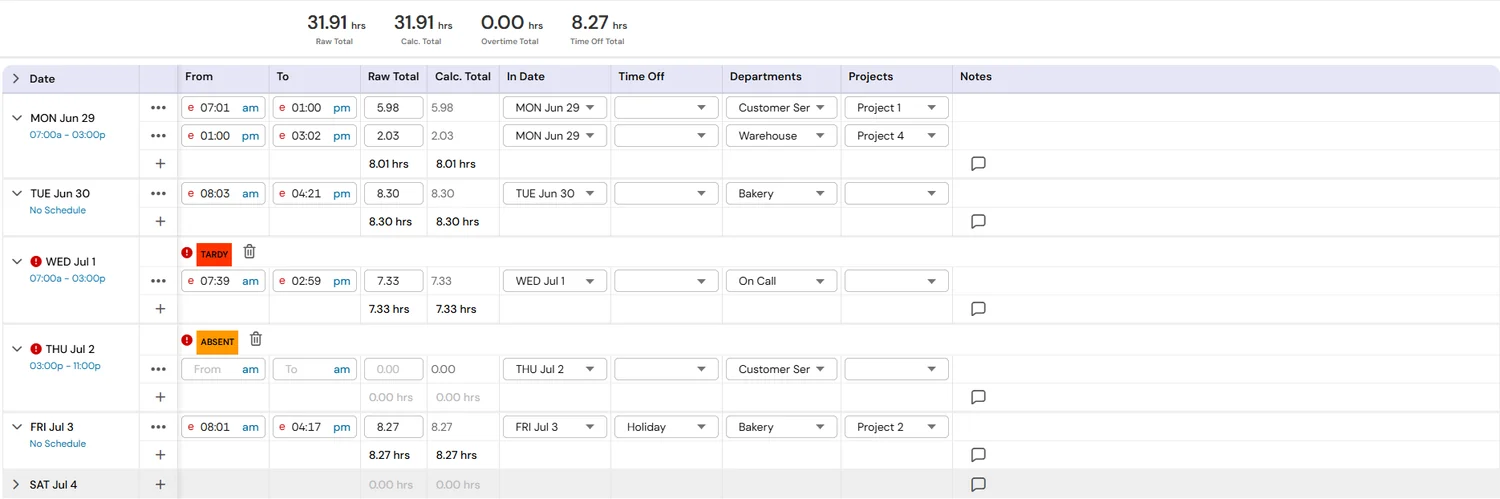
That is different from promising that automation will “eliminate errors.” A more responsible goal is a shorter, traceable correction loop with fewer manual handoffs.
How should time tracking connect to job costing and certified payroll?
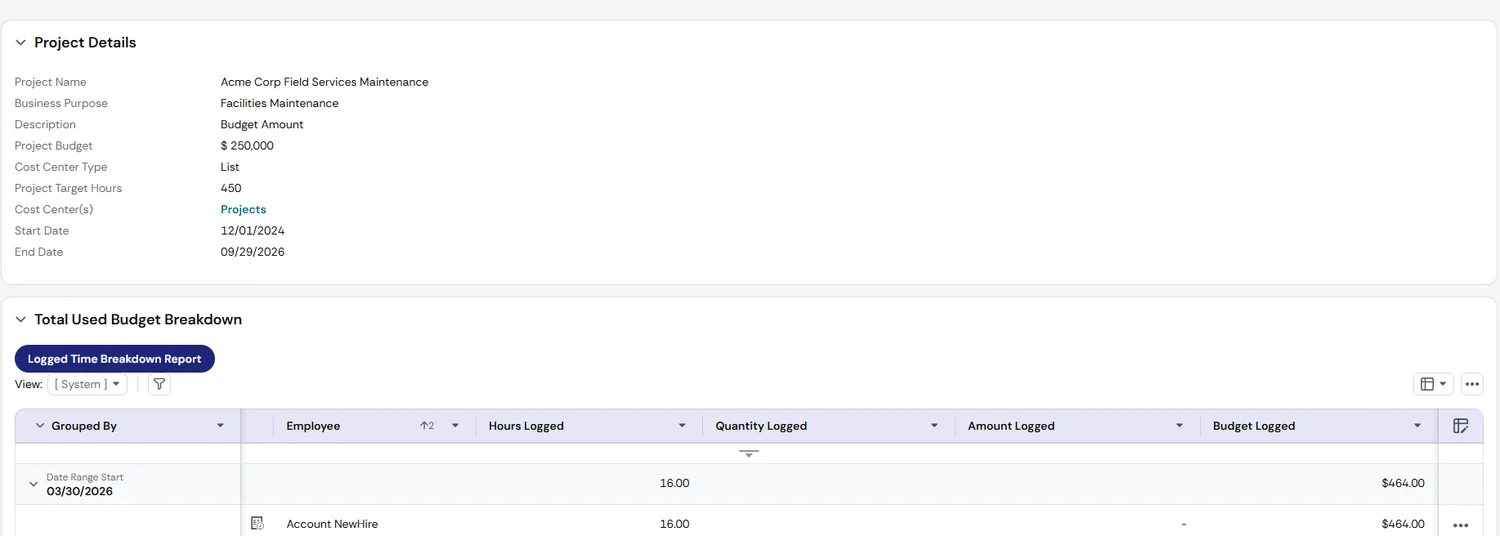
Payroll and job costing use the same time record for different decisions. Payroll needs payable hours and the context that affects pay. Operations and finance need labor assigned to the right project and activity. A connected design maps those needs once, then checks that approved detail reaches both destinations.
For contractors performing federally funded or assisted construction work, time capture is only an upstream input. The U.S. Department of Labor’s WH-347 is an optional form for submitting the required weekly payroll information, but covered contractors still have reporting and signed-statement obligations. Wage determinations, classifications, fringes, payroll calculations, certification, and agency-specific submission rules extend beyond a timekeeping app.
Use the dedicated certified payroll software guide for that workflow. For broader industry architecture, see Axiom’s construction and skilled-trades HCM page.
Should you buy a standalone time app or connected HCM?
The right answer depends on process complexity, not company pride. A simple contractor may value a focused tool with a clean payroll export. A growing multi-jobsite employer may benefit from time, payroll, HR, scheduling, and reporting sharing one employee and rule structure.
| Workforce pattern | Likely priority | Decision test |
|---|---|---|
| One crew, limited job movement, simple pay rules | Low-friction capture and a dependable payroll export | Can the team operate it without creating more administration than it removes? |
| Growing contractor with multiple jobsites | Job transfers, manager approvals, schedules, cost allocation, and consistent employee data | Can the workflow scale without adding a spreadsheet between field time, payroll, and accounting? |
| Complex mid-market contractor | Multiple entities, bargaining units, jurisdictions, rates, integrations, security roles, and audit controls | Can the platform and implementation partner prove the hardest combinations end to end? |
Avoid evaluating the time module in isolation. Ask who owns the employee record, job structure, pay rules, accounting map, device policy, security, testing, and ongoing changes. Integration quality includes ownership and exception handling, not just the presence of an API.
What is the best construction time tracking demo test?
Use a “messy Thursday,” not a clean Monday. Build the scenario from a difficult but representative week in your own operation.
The hard-week scenario
One worker, two sites, several chances to lose the detail
- The worker starts at Site A under one job and cost code.
- The supervisor moves the worker to Site B before lunch.
- The afternoon work uses a different role or classification.
- A punch is missed, and the worker submits a correction with a reason.
- The corrected hours cross an overtime threshold.
- The supervisor changes one allocation, approves the record, and sends it downstream.
Ask the vendor to perform the scenario live using the proposed mobile experience, manager workflow, rules, and integrations. Then inspect the evidence:
Also test the failure path. Use an invalid code, expired job, duplicated punch, rejected integration record, and weak connection. A credible demo should show how people recover, not only how the happy path looks.
How should construction companies roll out field time tracking?
Field adoption improves when the design reflects the job and each group understands its part. Do not give workers, supervisors, payroll, and finance the same training deck. Their decisions are different.
Useful baseline measures include timecard completion, exceptions outstanding at the payroll cutoff, manager approval timing, records rejected downstream, and hours manually reallocated after approval. Measure the process before launch so improvement is not based on memory.
Construction time tracking software buying checklist
Bring this list to discovery and vendor demonstrations. Replace generic “yes” answers with evidence from your own scenario.
- Supported worker devices and accessibility needs documented
- GPS, geofencing, and location-retention rules understood
- Weak-connectivity and offline behavior demonstrated
- Job, project, work order, and cost-code structure mapped
- Worker choice lists are limited to valid assignments
- Transfers between jobs, sites, and activities tested
- Applicable roles, classifications, rates, shifts, and rules tested
- Missed punches and correction reasons demonstrated
- Overtime and unusual-hour exceptions routed before payroll
- Supervisor delegation and backup coverage tested
- Original entries, edits, reasons, and approvals remain traceable
- Payroll field mapping and control totals reconciled
- Accounting or job-cost mapping and rejects reconciled
- Security roles and sensitive location access reviewed
- Implementation owners and ongoing change owners named
- Worker, supervisor, payroll, and finance training separated
- 30/60/90-day adoption and exception measures agreed
- Product claims, integration scope, and service terms documented
Frequently asked questions
What should construction time tracking software capture?
Is GPS or geofencing enough to verify construction time?
Can time tracking software handle multiple jobs and pay rates?
Does construction time tracking replace certified payroll software?
How should a contractor test time tracking software before buying?
Primary sources and scope notes
- UKG Time and Attendance: current published descriptions of mobile and web capture, geofencing, rules, and time-record controls.
- U.S. Department of Labor: WH-347: federal certified-payroll form, instructions, and scope note.
Sources reviewed August 14, 2026. This is a software evaluation and workflow guide, not legal advice. Product capabilities, laws, agreements, and service terms can change. Confirm current vendor documentation, contracted scope, company policy, applicable bargaining agreements, and legal or payroll guidance for your workforce.