
AI Summary: Knowing how to switch payroll providers the right way protects your employees, your data, and your compliance standing. This guide walks you through the 7-step process — from auditing your current setup to go-live day — with a realistic timeline, a comparison of major providers, and the most common mistakes mid-size companies make during the transition.
Table of Contents
If you’re reading this, something isn’t working. Maybe payroll errors keep slipping through. Maybe you’re stuck on hold for 45 minutes every time you have a question. Maybe the software is fine but the support feels like you’re just another account number. Whatever the reason, switching payroll providers is not only possible — it’s more common than most HR teams realize.
This guide gives you an honest look at what the process involves, what to watch out for, and how to make the switch without disrupting a single paycheck.
Why Companies Switch Payroll Providers
Most companies don’t switch because they want to — they switch because they have to. After months (or years) of frustration, the cost of staying becomes higher than the discomfort of leaving. Here are the most common reasons HR Directors and CFOs finally pull the trigger.
Poor Customer Service
National providers like ADP, Paychex, and Paycom handle thousands of clients. When you call with a problem, you’re in a queue. You may get a different rep every time — one who doesn’t know your account, your industry, or your specific configuration. For companies with real operational complexity, that’s a serious problem.
Payroll Errors and Compliance Risk
Payroll mistakes aren’t just embarrassing — they’re expensive. The IRS penalizes employers for late or incorrect tax deposits. Underpaid employees disengage or leave. Overpaid employees create complicated corrections. When errors repeat, it’s often a configuration problem — and national providers rarely have the bandwidth to diagnose it correctly.
Software That Doesn’t Match Your Business
Off-the-shelf payroll software assumes a certain kind of employer. If you run multiple pay schedules, shift differentials, multi-state payroll, union rules, prevailing wage, or complex job costing — a generic system will fight you. The software you need to grow often isn’t the software you started with.
Cost Creep
Many payroll contracts start with an attractive per-employee-per-month rate, then add fees for every additional module, user, or service request. Over time, the cost per employee climbs, often without a corresponding improvement in service. A switch can reset that — and a boutique provider often delivers more value per dollar for mid-size companies.
When Is the Best Time to Switch Payroll Providers?
Timing matters. The switch itself can happen at any point in the year, but some windows are cleaner than others.
January 1 (Start of New Tax Year) — Best Option
Starting a new payroll system on January 1 gives you the cleanest break. Year-to-date totals reset to zero, W-2s from your old provider cover the prior year, and your new provider starts fresh. If you have the option, this is the timing to target. Begin your evaluation in September or October to allow time for implementation.
Start of a New Quarter — Good Option
Starting at the beginning of Q2, Q3, or Q4 minimizes mid-quarter complexity with payroll tax reconciliation. Your new provider picks up from clean quarter-start totals. This works well when switching in January isn’t feasible.
Mid-Year or Mid-Quarter — Possible, But More Complex
It can be done. Many companies switch mid-year without issue. But it requires careful transfer of year-to-date data, careful reconciliation of taxes already paid, and a more involved implementation. A good implementation partner makes this manageable — but it adds work. See the Axiom HRS resource center for mid-year switch guidance specific to your state.
How to Switch Payroll Providers: 7-Step Process
This is the core of what you need to know. Follow these 7 steps in order and you’ll avoid the most common pitfalls.
Step 1: Audit Your Current SetupBefore you look at new providers, get clear on what you have. Pull your current employee roster, pay schedules, tax registrations (federal + all states), benefit deductions, garnishments, and any custom pay codes. Document all of it. You’ll need this information to set up your new system correctly — and gaps in this audit are the #1 cause of payroll errors during transition.
Step 2: Identify What Needs to Be BetterWrite down your top 5 pain points with your current provider. Be specific: “support takes 3 days to respond,” “the system doesn’t handle our shift differentials correctly,” “tax filings were wrong twice in 2024.” This list becomes your evaluation criteria for the new provider — and it keeps you from trading one set of problems for another.
Step 3: Evaluate New Providers HonestlyGet demos from at least 3 providers. Ask each one: How do you handle implementation for a company like mine? Who will be my ongoing contact after go-live? What does your average implementation timeline look like? What happens if there’s a payroll error? The answers reveal a lot about the service model. SHRM’s payroll resources include a useful vendor evaluation checklist worth reviewing before demos.
Step 4: Negotiate Your Contract and Exit Your Current ProviderRead your current contract carefully before giving notice. Most payroll contracts have 30–90 day termination clauses and may auto-renew annually. Give formal written notice within the required window. Don’t pay termination fees before confirming whether they’re actually required — some contracts have carve-outs. At the same time, review your new provider’s contract for similar auto-renewal terms before signing.
Step 5: Complete the Implementation With Your New ProviderThis is where the real work happens. Implementation involves data migration (employee records, pay history, tax registrations), system configuration (pay schedules, deduction codes, time and labor rules), testing (run parallel payrolls before going live), and training (HR, managers, and employees who use self-service). A good implementation partner runs this process for you — a poor one hands you a checklist and disappears. The Department of Labor’s payroll compliance guidance is worth reviewing as you configure your new system to ensure compliance from day one.
Step 6: Run Parallel Payrolls Before Go-LiveBefore processing your first live payroll in the new system, run at least one parallel payroll — the same pay period processed in both the old and new systems simultaneously. Compare the outputs line by line. Net pays should match. Tax withholdings should match. Any discrepancy needs to be resolved before you go live. Skipping this step is the most common cause of first-payroll errors.
Step 7: Go Live and Monitor CloselyYour first three live payrolls deserve extra attention. Review every payroll register before approving. Watch your tax deposit schedule to confirm the new provider is hitting the right dates. Confirm direct deposits land correctly. Address any discrepancies immediately — small errors caught early are quick fixes. Errors caught after a quarter end become reconciliation nightmares.
What to Look for in a New Payroll Provider
Not all payroll providers are built for your business. Here’s what to evaluate before you sign.
- Named support contacts: Will you have a dedicated rep who knows your account, or will you call a general support line?
- Implementation process: Do they have a structured onboarding process? Who owns it — you or them?
- Your industry: Do they have clients like you — same size, same complexity (multi-state, shift workers, union rules, job costing)?
- Integration capability: Does it connect with your existing HRIS, time and labor, accounting, or benefits administration systems?
- Compliance support: Will they stay current on payroll tax law changes across all your states? Who’s responsible when a tax filing is wrong?
- Transparent pricing: Full cost — including implementation fees, per-employee fees, module add-ons, and year-end fees (W-2s, etc.)
- Post-go-live support: What does the relationship look like 6 months in? 12 months?
Common Mistakes When Switching Payroll Providers
These mistakes show up again and again. Knowing them in advance is the difference between a smooth transition and a painful one.
1. Not Auditing Your Data Before You Move
Garbage in, garbage out. If your employee records in the current system have errors — wrong tax elections, incorrect state withholdings, outdated direct deposit info — those errors follow you to the new system. Clean the data before migration, not after.
2. Skipping the Parallel Payroll
Running parallel payrolls feels like extra work. It is. It’s also the only way to catch configuration errors before they affect your employees. Every payroll provider worth working with will insist on it. If yours doesn’t, that’s a red flag.
3. Underestimating Implementation Time
A simple payroll setup for a 50-person company might take 4–6 weeks. A complex multi-state, multi-pay-schedule setup for a 200-person company with time and labor can take 10–16 weeks or more. Plan accordingly — don’t schedule your go-live in the middle of your busiest season.
4. Not Getting Year-to-Date Data From Your Old Provider
Before you terminate your contract, get a full data export from your old provider: employee records, all year-to-date payroll data, all tax payments made to date, copies of tax filings, and W-2 history. Once you stop paying them, access often becomes difficult or impossible.
5. Choosing Based on Price Alone
The cheapest option rarely stays cheap. A provider who underprices to win your business often makes up for it with poor service, slow support, or add-on fees. Evaluate total cost of ownership — including the real cost of payroll errors and compliance issues — not just the monthly rate. Research from Gartner’s HR research consistently shows that mid-market companies underweight service quality in payroll vendor selection.

Payroll Switch Timeline: What to Expect
Here’s a realistic project timeline for a mid-size company (50–300 employees) switching payroll providers.
| Phase | What Happens | Typical Duration |
|---|---|---|
| Evaluation | Demo providers, score them, negotiate contracts | 4–8 weeks |
| Audit & Notice | Audit current data, give notice to current provider | 2–4 weeks |
| Implementation | Data migration, configuration, integrations, testing | 6–12 weeks |
| Parallel Payroll | Run 1–2 parallel payrolls to validate the setup | 2–4 weeks |
| Go-Live | First live payroll processed in new system | 1 day |
| Stabilization | Monitor first 3 payrolls closely, resolve issues quickly | 4–6 weeks |
Total from decision to stable operation: 16–30 weeks. Plan for 6 months if you want a comfortable buffer. If you’re targeting a January 1 go-live, start your evaluation by July.
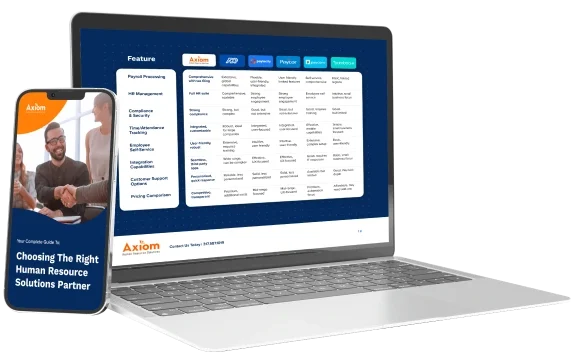
Axiom HRS vs. ADP vs. Paycor vs. Paylocity
Here’s an honest side-by-side. No provider is perfect for everyone. This table reflects how these platforms typically serve companies in the 50–500 employee range.
| Factor | Axiom HRS (UKG Ready) | ADP Workforce Now | Paycor | Paylocity |
|---|---|---|---|---|
| Sweet Spot | 50–2,000 employees, complex operations | 100–10,000+ employees | 50–1,000 employees | 20–1,000 employees |
| Support Model | Named dedicated team, direct line | National call center, rotating reps | Call center + dedicated rep (enterprise tiers) | Call center + chat support |
| Implementation | White-glove, guided by expert team | Self-guided with online resources | Structured but largely self-service | Guided but customer-led |
| Platform | UKG Ready (Preferred Partner) | ADP Workforce Now | Paycor HCM | Paylocity |
| Complex Payroll | Strong — built for shift differentials, multi-state, union, job costing | Capable but often requires expensive add-ons | Moderate — works for most mid-market needs | Moderate — better for simpler pay structures |
| Post Go-Live Support | Ongoing, proactive — same team handles everything | Reactive — support model is ticket-based | Mixed reviews — varies by account size | Technology-forward; less hands-on service |
| Best For | Companies who’ve been burned by national providers and need a real partner | Very large enterprises with in-house HR teams | Mid-market companies wanting a recognizable brand | HR teams that prioritize self-service technology |
| Not the Right Fit If… | You need international payroll or a Fortune 500 enterprise system | You need personal service and fast answers | Your operations are highly complex | You need heavy hands-on implementation support |
Why Companies Choose Axiom HRS for Their Payroll Switch
Axiom Human Resource Solutions is a UKG Ready Preferred Partner and Authorized Reseller based in Indianapolis, Indiana. We serve companies with 50 to 2,000 employees — most of them in healthcare, long-term care, manufacturing, construction, and financial services.
Here’s what makes us different from the national providers you’ve been dealing with:
- You have a named team. Not a call center. Not a ticket queue. A real team that knows your account, your pay structure, and your history.
- We implement for you. Our implementation process is white-glove. We configure the system, migrate your data, test everything, and train your team. You don’t do this alone.
- We stay after go-live. Our relationship doesn’t end when you go live. Most of our clients have been with us for years. That’s not an accident — it’s because we show up when things get hard.
- We use UKG Ready. UKG Ready is an enterprise-grade HCM platform that handles complex payroll, time and labor, scheduling, HR, and benefits — all in one system. We’re a Preferred Partner and Authorized Reseller, which means we have direct access to UKG’s product and support teams.
- We date you, not just sell you. We take time to understand your business before recommending anything. If Axiom isn’t the right fit, we’ll tell you that too.
National providers optimize for volume. We optimize for accuracy. There’s a difference — and your employees feel it on every pay date.
Frequently Asked Questions: Switching Payroll Providers
How long does it take to switch payroll providers?
For most mid-size companies (50–300 employees), expect 16–24 weeks from decision to stable operation. This includes evaluation (4–8 weeks), implementation (6–12 weeks), parallel payroll testing (2–4 weeks), and go-live stabilization (4–6 weeks). More complex setups with multiple states, pay schedules, or time and labor integration can take longer.
Can you switch payroll providers mid-year?
Yes. It requires careful transfer of year-to-date payroll data, including all wages paid and taxes withheld so far in the year. Your new provider needs this to file accurate quarterly and year-end tax reports. It’s more complex than a January 1 switch but completely manageable with the right implementation partner.
What data do I need to gather before switching?
You’ll need: complete employee roster (personal info, tax elections, direct deposit details), year-to-date payroll data (wages, deductions, taxes), all state and local tax registration numbers, benefit deduction schedules, garnishment orders, pay schedules and pay codes, and copies of your most recent tax filings. Get all of this from your current provider before your contract ends — access can become difficult after you stop paying them.
Will switching payroll providers affect my employees?
If done correctly, employees notice nothing except possibly a different look to their paystub and a new employee self-service portal. Direct deposits should arrive on time and in the correct amounts. Communicate proactively — let employees know a change is coming, when it happens, and who to contact with questions. Surprises create anxiety; communication eliminates it.
What is the best time of year to switch payroll providers?
January 1 is the cleanest start — year-to-date totals reset, W-2s from the old provider cover the prior year, and you start fresh. The start of any quarter is a good second option. Mid-year switches are possible but require more data work. Avoid switching in November or December if possible — year-end tax activity makes that window more complex.
How do I know if my current payroll provider has a termination clause?
Check your original contract — look for sections titled “Term,” “Termination,” or “Cancellation.” Most payroll contracts require 30–90 days’ written notice and may auto-renew annually. If you can’t find your contract, contact your provider and ask for a copy. Give formal written notice (email or certified letter) within the required window and keep a record of it.
What makes Axiom HRS different from ADP, Paychex, or Paylocity?
The core difference is the service model. National providers like ADP, Paychex, and Paylocity operate call centers — when you have a problem, you call in and hope to reach someone who knows your account. Axiom operates with a dedicated, named team for each client. We’re a boutique HCM firm — we work with 50–2,000 employee companies that need real expertise and a real human who picks up the phone. We’re also a UKG Ready Preferred Partner, which means we bring both platform expertise and personalized service.
Ready to Make the Switch?
Talk to an Axiom expert — no sales script, no pressure. Just a straight conversation about what’s not working and whether we’re the right fit.
Related: Not sure if you’re ready to switch? Read 5 Critical Signs It’s Time to Switch Payroll Providers — the warning signs most HR teams ignore too long.