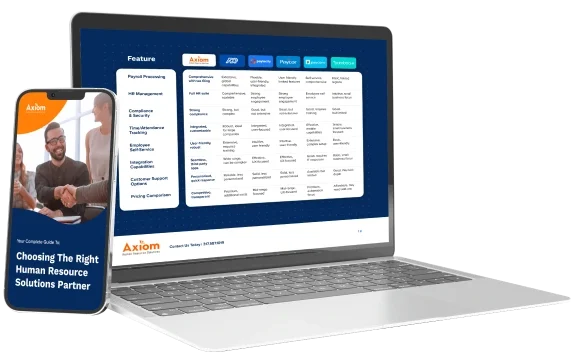

HR software is one of the few decisions that touches every employee, every pay period, every compliance deadline, and every audit. Pick the right platform, and HR runs in the background: payroll lands accurately every cycle, compliance updates happen before the deadline, and the HR team gets time back to do work that actually moves the business.
But the category is full of overlapping product names. HRIS. HCM. HRMS. Payroll software. Buyers end up comparing products built for very different jobs, on the assumption that the acronyms mean the same thing.
This guide breaks down what each category does, where the lines between them blur, and how to choose the right HR software for the company’s size, complexity, and growth trajectory.
What Is HR Software?
HR software is any system used to manage workforce data and HR processes. The category is broad on purpose: it includes single-purpose tools that do one job (payroll, time tracking, applicant tracking) and broader platforms that consolidate several jobs into one system.
Three categories matter most for buyers:
- Payroll software processes pay, files taxes, handles deductions, and generates W-2s and 1099s.
- Human Resource Information System (HRIS) stores employee data and handles core HR functions: records, basic compliance, and self-service.
- The Human Capital Management (HCM) platform covers payroll, HR, time and attendance, benefits, recruiting, onboarding, learning, and analytics in one system.
What’s the Difference Between HRIS, HCM, and Payroll Software?
The categories overlap, which is why buyers get burned. The clearest way to tell them apart is by what they own end-to-end.
What Is an HRIS?
An HRIS is the system of record for employee data. It holds personal information, job history, compensation records, time-off balances, policy acknowledgments, and basic compliance documents. Core HRIS features include employee records and document management, a self-service portal for time-off requests and personal info updates, basic compliance reporting (I-9, EEO, ACA), and standard reports on headcount, turnover, and demographics.
The shift to HRIS replaces filing cabinets, spreadsheets, and email threads with a structured database that employees can access themselves. For a small company with one HR coordinator, an HRIS often handles most of the day-to-day workload.
What Is an HCM Platform?
HCM is a broader category that covers the entire employee lifecycle in one platform. A single-database HCM holds payroll, HR, time and attendance, benefits, recruiting, onboarding, performance, learning, and analytics in the same system. Data flows across modules without re-entry, because there is only one database underneath.
An HCM replaces a stack of tools: separate payroll software, a separate time clock system, a separate benefits enrollment tool, a separate applicant tracking system, and the integrations holding them together. Companies looking for customizable HCM software usually arrive there after spending two years patching together five tools that almost work.
What Is Payroll Software?
Payroll software handles pay calculation, tax filing, direct deposit, deductions, garnishments, and year-end forms. Some payroll products include light HR features (basic employee records, simple time tracking), but the core job is paying employees and staying compliant with tax law.
Companies that run only payroll software usually have a few hundred employees or fewer and either no formal HR function or HR that lives entirely in spreadsheets. The work payroll software does well: federal, state, and local tax calculation, multi-state filings, Affordable Care Act (ACA) reporting, and direct deposit on time.
The problem most companies face is that payroll cannot live in isolation. A payroll system that does not see time and attendance data is a payroll system that misses overtime, for example.
When companies start seeing the costly signs that it’s time to switch payroll providers, the underlying issue is usually not the payroll software itself; it is that payroll has been forced to operate without the data it needs.
What About HRMS? Is It the Same as HRIS or HCM?
A Human Resource Management System (HRMS) is a software platform that manages HR processes and employee data, covering records, workflows, payroll administration, and reporting. There is no industry-standard definition. Some vendors use HRMS as a synonym for HRIS, treating it as a system of record with light process automation. Others use it as a synonym for HCM, treating it as a full lifecycle platform.
When a product is marketed as an HRMS, the question is not what the acronym means; it is what the platform actually does. Ask which functions live in the system end-to-end (payroll, time, benefits, recruiting), and the HRMS resolves into either an HRIS or an HCM by capability.
What HRIS, HCM, and Payroll Software Have in Common
The three categories overlap more than buyers realize. All three store employee records in some form.
The shared layer is data. The difference is how much of HR each one is designed to own.
Payroll software owns pay. An HRIS owns the employee record. An HCM owns the entire employee lifecycle in one place.
HRIS vs HCM vs Payroll Software: A Side-by-Side Comparison
A capability-by-capability view is the fastest way to see where the categories overlap and where they don’t. The table below compares HRIS, HCM, and payroll software across the functions that come up in almost every evaluation: pay processing, time and attendance, benefits, recruiting, analytics, and the ability to replace fragmented tools.
| Capability | Payroll Software | HRIS | HCM Platform |
|---|---|---|---|
| Pay processing and tax filing | Yes | Sometimes (via add-on) | Yes |
| Employee records and self-service | Limited | Yes | Yes |
| Time and attendance | Sometimes | Limited | Yes |
| Benefits administration with carrier sync | Limited | Sometimes | Yes |
| Recruiting and onboarding | No | Limited | Yes |
| Performance and learning | No | Sometimes | Yes |
| HR analytics across functions | No | Limited | Yes |
| Single database across modules | No | Partial | Yes |
| Replaces fragmented HR tools | No | Partially | Yes |
| Typical fit | Under 50 employees, simple needs | 30 to 200 employees, light HR | 50 to 2,000 employees, full lifecycle |
The takeaway: Payroll software is a tool. An HRIS is a system. An HCM platform is the operating system for HR.
Why HRIS vs HCM Matters for Growing Companies
The HRIS vs HCM choice usually comes up at the same moment in a company’s growth: somewhere between 75 and 200 employees, when the systems that worked at 40 start producing visible problems.
Open enrollment takes three weeks instead of three days. Payroll errors creep in. Hiring slows down because nobody can find a clear view of who has been screened, interviewed, or offered.
A company at that size has two options: stay with an HRIS and add point tools (accepting that data will live in different places and some of it will not match), or move to an HCM and consolidate. The reason HCM is the better answer for most growing companies comes down to where data lives.
When payroll, time, benefits, and HR run on one database:
- Time entries flow into payroll without re-keying.
- Benefits enrollment updates deduction rules automatically.
- A new hire’s information populates payroll, time, benefits, and the org chart from a single onboarding workflow.
- The HR team stops being an integration layer between tools.
When data lives in five separate systems, a small change (someone moves to part-time, switches deduction tiers, transfers cost centers) requires updates in many places. The errors show up in the next payroll run, or the next ACA filing, or when the audit hits.
What Capabilities Belong in HR Management Software
HR software covers eight functional areas. Each one shows its real quality only at the moment it gets used: open enrollment, a multi-state pay run, a new-hire week, a quarterly audit.
Payroll Processing and Tax Filing
Payroll processing and tax filing calculate employee pay, withhold taxes, send payments, and file federal, state, and local payroll taxes on the employer’s behalf. Pay runs accurately and on time, every period, with multi-state tax compliance and proactive updates when tax laws change. When payroll errors start showing up regularly, the signs are usually consistent: the tool was built for a smaller company and never scaled to handle the complexity the business has now.
Time and Attendance
Time and attendance software records when employees work, applies labor rules to those hours, and feeds the resulting data into payroll. Time tracking has to support how employees actually work: mobile clock-in for field and remote workers; biometric and kiosk options for plant floors; geofencing and photo verification to prevent buddy punching. FLSA (Fair Labor Standards Act) enforcement and meal/rest break compliance baked into the rules engine. Schedule templates for 24/7 operations and demand-based scheduling for retail and hospitality.
Benefits Administration
Benefits administration software manages employee enrollment in health, dental, vision, retirement, and other plans, and keeps eligibility and deductions accurate as life events occur. Open enrollment is the stress test for the function. The system has to handle automated eligibility tracking, life-event updates, COBRA (Consolidated Omnibus Budget Reconciliation Act) management, ACA reporting, and direct carrier integration so enrollment data syncs with insurance providers without manual exports.
Recruiting and Onboarding
Recruiting and onboarding software runs the full hiring process, from job posting and applicant tracking through offer management, background checks, and new-hire paperwork. Data has to flow from the offer stage into payroll, benefits, and time tracking automatically, with no manual re-entry. If a new hire’s information has to be typed into three systems, the platform is not actually unified.
HR Analytics and Reporting
HR analytics and reporting turn workforce data (headcount, turnover, pay, time, performance) into reports and dashboards that HR leaders and executives can act on. Standard reports cover compliance and audits. Real workforce analytics covers headcount, turnover, time-to-fill, cost-per-hire, overtime, absenteeism, training completion, and labor costs by cost center. Predictive analytics surface patterns: flight risk, productivity gaps, hiring needs.
Performance Management
Performance management software covers goal setting, reviews, feedback, and competency tracking across the year, not just at annual review time. Mature HCM platforms also feed performance and competency data into succession planning, so leadership can identify and develop internal candidates for key roles before a vacancy forces a rushed external hire.
Employee Self-Service
Employee self-service is a portal employees use to handle routine HR tasks on their own: updating personal information, requesting time off, viewing pay stubs, and accessing policy documents from any device. Self-service is the volume control on how much administrative work HR has to do. A platform with weak self-service quietly turns HR into a help desk.
Compliance Support
HR compliance support keeps payroll, time, benefits, and hiring aligned with federal, state, and local employment laws as those laws change. Look for automatic FLSA and overtime enforcement in time tracking, ACA and COBRA in benefits, multi-state tax filing in payroll, I-9 and E-Verify in onboarding. The platform should also push regulatory updates automatically when laws change, not require the HR team to track changes manually.
Learning and Development
Learning and development software, also called a learning management system (LMS), delivers training courses to employees, tracks completions and certifications, and reports on compliance training deadlines. Course delivery, automated learning paths by role, certification, and credential tracking with expiration alerts, and audit-ready compliance training reports are the core capabilities.
How to Choose HR Software for Your Company Size
The right HR software for a 25-employee company is not the right software for a 500-employee company. The capabilities scale with company size, and so does the importance of getting the choice right.
- Under 50 Employees: the priority is tax compliance and payroll accuracy, not analytics. A payroll platform with light HR features (employee records, basic self-service, time-off tracking) usually covers it. Multi-state operations push the requirement higher. The risk at this stage is buying too small and outgrowing the tool inside 18 months.
- 50 to 500 Employees: the size where HCM becomes the right answer for most companies. The cost of fragmented tools (manual reconciliation, missed compliance updates, slow open enrollment) starts exceeding the cost of a unified platform. Look for a single-database platform paired with named support contacts who know the account.
- 500 to 2,000 Employees: multi-state and multi-entity payroll, complex benefit plans, predictive workforce analytics, learning management with compliance tracking, and advanced shift scheduling become baseline. Role-based access controls and audit trails matter for SOX (Sarbanes-Oxley) style compliance pressure. Mid-market HCM platforms like Axiom’s UKG Ready HCM tend to fit this segment better than enterprise suites built for 10,000-employee organizations.
How to Compare HR Management Software
Feature checklists are the most common way to compare HR software, and they tend to make every product look similar. The differences that decide whether a platform actually fits live one level deeper, in how each capability is delivered. The framework below works through five questions worth answering before any contract gets signed.
Map Your Use Case Before You Demo
Write down the ten specific workflows your HR team runs every week and every month before scheduling a single vendor demo. Open enrollment. Multi-state payroll. New-hire onboarding. The most useful demo walks through your actual workflows on the vendor’s platform.
Audit the Tools You’re Replacing
If a platform claims to consolidate your stack, list every tool it replaces. Payroll software, time clock system, benefits enrollment portal, applicant tracking, and employee handbook software. Get a written confirmation of what stays and what goes. Without that confirmation, the legacy tools tend to stay in the budget alongside the new HCM.
Test the Data Model, Not Just the Interface
Ask directly: are payroll, HR, time, and benefits in one database, or are they separate products connected by integrations? An interface can look unified without the data underneath being unified. The distinction shapes whether the platform actually eliminates reconciliation work or just hides it behind a cleaner screen.
Pressure-Test the Support Model
Get the name or the role of your post-go-live support contact. Ask whether the same person handles both payroll and HR questions, or whether you will route through separate queues. Find out the response-time commitment in writing. The value of a named support contact shows up the first time something urgent needs a quick answer.
Get the Full Cost Picture
Get all of it in writing before signing: per-employee fees, module fees, year-end fees (W-2s, 1099s, ACA filings), off-cycle payroll fees, and what counts as an integration vs. an add-on. Most proposals quote a headline subscription price. The full annual cost only becomes visible once these line items get added in, which is why year-two budgets often look different from the original quote.
Single-Database HCM vs Stitched-Together HR Tools

The phrase “integrated HR platform” usually means several products from the same vendor, connected by integrations. That is not the same as a single-database platform.
A single-database platform stores payroll, HR, time, benefits, recruiting, and learning in one underlying database. Data does not move between modules; modules read from the same data. When an employee transfers cost centers, the change happens once and shows up immediately in payroll, scheduling, labor reporting, and analytics.
The difference is not academic. It shows up in audit trails, in payroll accuracy, in how fast a hiring manager can move a candidate from offer to onboarded employee, and in how long open enrollment actually takes. The difference between HCM and HRMS is how the data is held underneath.
Common Mistakes Companies Make When Buying HR Software
Five recurring mistakes account for most of the regret in HR software purchases:
- Buying for today, not for two years from now. Picking the cheapest tool that fits the current headcount usually means a second migration in 18 to 24 months, after spending the intervening time fighting limitations.
- Confusing “integrated” with “unified”. A multi-product suite is not the same as a single-database platform. The former still has integration risk; the latter does not.
- Underweighting the support model. Software is roughly half the value. The other half is what happens when something goes wrong: who answers, how fast, and how much they know about the account.
- Not piloting open enrollment before signing. Open enrollment is the single most stressful HR event of the year. If a platform handles open enrollment poorly, nothing else matters. Run a tabletop exercise during evaluation.
- Ignoring migration cost. Switching HR systems involves data migration, employee training, and process re-documentation. The total cost of switching usually exceeds the platform’s annual subscription several times over.
What to Expect When You Switch HR Systems
Implementation is where most HR software projects stall. The platform that demos beautifully takes nine months to configure, employees have to learn three new interfaces, and HR ends up running parallel systems for a quarter while data gets cleaned up.
A realistic implementation plan for a mid-market HCM platform moves through four phases:
- Discovery and configuration: payroll setup, tax accounts, benefit plans, time and attendance rules, organization structure, role-based access, integrations to ERP (enterprise resource planning) and GL (general ledger).
- Data migration: employee records, historical pay data, PTO balances, benefits enrollments, and onboarding documents.
- Parallel testing: running the new system alongside the old one through at least two pay cycles to confirm calculations match.
- Training and go-live: HR team training, manager training, employee communications, and self-service portal launch.
Companies that pick a provider with a structured implementation process and named specialists handling the work tend to land closer to the planned timeline. The step-by-step guide to switching payroll providers covers a narrower scope but follows the same logic.
What Outcomes Does HR Software Actually Drive?
The point of buying HR software is what it lets HR deliver to the business: cleaner payroll, faster hiring, smoother open enrollment, and time back for strategic work. Companies that get the most out of a unified HR platform start the evaluation from those outcomes and work backward to the capabilities that produce them.
Engagement and retention. Engagement is the leading indicator most HR teams underuse. Pulse surveys, real-time sentiment data, peer-to-peer recognition, and structured manager check-ins give HR something to act on before turnover spikes. According to Gallup’s Q12 meta-analysis, business units with the highest engagement scores are 21% more profitable than those with the lowest.
Onboarding and productivity. New hires who go through a structured onboarding program (paperless processing, role-based learning paths, automated check-ins, manager workflows) ramp faster and stay longer. Manual onboarding leaves most of that on the table.
HR capacity. When payroll, time, benefits, and HR live in one database, the HR team stops being the integration layer. The hours that used to go to reconciling reports and re-entering data go back into workforce planning, compensation strategy, and employee programs. That is the difference between an HR team running operations and an HR team running the business.
Compliance accuracy. Automated FLSA enforcement, ACA reporting, multi-state tax compliance, and policy-driven time tracking move compliance from a manual checklist to a systemic function. The audit trail is built in. The penalties that come from missed updates land less often.
Manager and employee experience. Self-service portals, mobile clock-in, real-time scheduling, and direct manager-employee feedback shift the day-to-day work of HR from answering the same questions repeatedly to building the systems that prevent the questions. Employees get faster answers, and HR gets time back.
Where HR Software Is Going: AI, Predictive Analytics, and Automation
The last three years pushed HCM platforms past automation into prediction. The platforms that lead the next decade are the ones that surface decisions HR teams used to make on instinct.
AI in Recruiting and Screening
AI-driven applicant tracking now automates job posting distribution, resume screening, candidate ranking, and interview scheduling. The hiring pipeline that used to live in a spreadsheet is increasingly a system that flags strong candidates faster and reduces time-to-fill.
Predictive Workforce Analytics
Modern HCM platforms surface flight risk, productivity gaps, and hiring needs before they become problems. UKG Ready, the platform Axiom delivers, includes AI-powered people analytics that identify turnover risk patterns and engagement trends across the workforce. The HR team that knows three months in advance which department is at risk of losing key people has options the reactive HR team does not.
Automation Across the Lifecycle
Automation across the employee lifecycle uses rules and triggers to handle approvals, eligibility updates, compliance reminders, and benefits enrollment without manual intervention. The administrative work HR used to chase happens in the background.
Mobile-First Everything
Mobile-first HR software runs the full employee experience on a phone: time clocks, schedule swaps, benefits enrollment, learning, and self-service. Deskless workforces (manufacturing, retail, hospitality, field services, healthcare) benefit most because the platform finally meets the employee where the work happens.
Earned Wage Access
Earned wage access lets employees draw down wages they have already earned before the regular payday, directly through their HCM. It reduces reliance on payday loans and improves financial wellness. Earned wage access is on Axiom’s payroll services platform today.
Frequently Asked Questions
What Is the Difference Between HRIS and HCM?
An HRIS is the system of record for employee data: records, basic compliance, and self-service. An HCM platform covers the full employee lifecycle in one system: payroll, HR, time, benefits, recruiting, onboarding, performance, learning, and analytics. HCM does what an HRIS does and adds the operational layers around it.
Do I Need an HRIS, an HCM, or Just Payroll Software?
It depends on size and complexity. Companies with fewer than 50 employees with simple operations often run on payroll software with light HR features. Companies with between 50 and 200 employees usually outgrow that stack and benefit from an HRIS or a smaller HCM. Companies between 200 and 2,000 employees, especially in multi-state or shift-based operations, get the most value from a full single-database HCM platform.
What Is the Best HR Software for Small Business?
The best HR software for small businesses is the one that handles payroll, tax compliance, and basic employee records reliably without forcing a re-platforming when headcount grows. Look for multi-state tax support, automated ACA compliance, employee self-service, and a clear upgrade path to broader HR functionality. Buying too small often costs more than buying slightly ahead of current needs.
What Is Human Capital Management Software?
Human Capital Management software is a unified platform that manages the employee lifecycle from recruiting through long-term workforce development. A single-database HCM consolidates payroll, HR, time and attendance, benefits administration, recruiting, onboarding, performance, learning, and analytics in one system, eliminating the data reconciliation problems that come with separate tools.
How Much Does HR Software Cost?
HR software pricing is typically per employee per month, with module fees, year-end fees, and implementation fees added on top. Standalone payroll is the lowest-cost layer. HRIS products sit higher. Full HCM platforms cost more per employee but replace multiple tools, so the right comparison is against total stack cost, not against a single line item.
What’s the Difference Between an HCM and an HRMS?
HRMS (Human Resource Management System) is sometimes used as a synonym for HRIS and sometimes used as a synonym for HCM, depending on the vendor. There is no universal definition. The clearer question to ask any vendor: what data lives in the platform, what processes does it own end-to-end, and what tools does it replace?
Can HR Software Handle Multi-State Payroll Compliance?
Yes, when the platform is built for it. Multi-state payroll requires automatic federal, state, and local tax calculation, real-time updates when tax laws change, multi-state filings, and the ability to apply location-specific rules to time tracking, benefits, and labor reporting. Not every payroll product handles multi-state cleanly; verify before signing.
How Long Does It Take to Implement HR Software?
Implementation timelines depend on company size, multi-state and multi-entity complexity, the number of integrations, and the quality of the data being migrated. Standalone payroll typically goes live faster than a full HCM.
Should I Buy HR Software or Outsource HR Entirely?
The two choices are not mutually exclusive. Some companies buy HR software and run HR internally. Others buy HR software paired with outsourced HR services, where a provider handles payroll processing, compliance, and employee inquiries on the platform. The right model depends on whether the company has the bandwidth and expertise to run HR internally or wants a provider to operate the system on its behalf. Comparing in-house HR vs HR outsourcing is a separate but related decision.
Related Resources
Choosing HR Software That Actually Fits Your Business
The cleanest way to choose HR software is to work backward from what HR needs to deliver at this company, at this size, over the next eighteen months.
Map the workflows. Audit the tools in use today. Decide what is broken and what is just inconvenient. From there, the category becomes obvious (payroll software, HRIS, or HCM), the vendor shortlist gets shorter, and the support model behind the software ends up mattering as much as the platform itself.
Axiom HRS delivers a single-database HCM powered by UKG Ready, built for companies between 50 and 2,000 employees. Payroll, HR, time and attendance, benefits, recruiting, onboarding, learning, and analytics all live in one database, paired with named payroll specialists and dedicated HR advisors who know the account.
If a sanity check on the right fit would help, the Axiom team can walk through what HR software actually makes sense for a company at your size, in your industry, and where it is heading next. Start the conversation here →
⚡ Axiom’s Verdict
For companies between 50 and 2,000 employees, the HRIS vs HCM vs payroll software question usually resolves itself the hard way within 18 months. Only a single-database HCM gives HR the unified data model to scale without becoming the integration layer between five different tools.
Payroll software and basic HRIS platforms work fine when you’re small and straightforward. But if you’re stitching together payroll, time tracking, and benefits enrollment — or planning to grow past 200 — you need a unified platform configured for how you actually run. Axiom HRS delivers UKG Ready as a single-database HCM backed by a named team that knows your account.