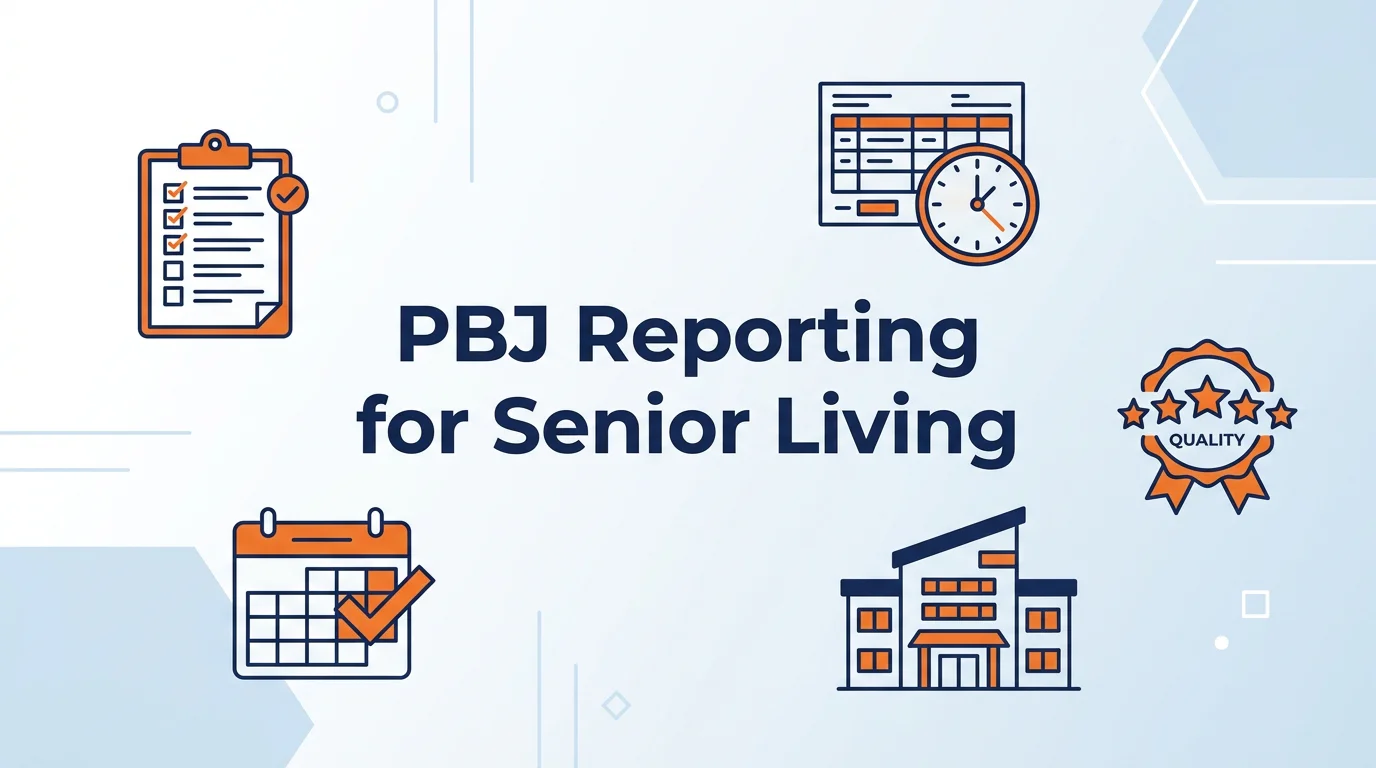
PBJ looks like a reporting task. It is really a payroll task wearing a reporting costume.
I have watched a lot of good administrators lose a weekend to PBJ. Not because they did not care, and not because they were lazy. They lost it because the staffing hours in their payroll system did not match the story they knew was true on the floor. Here is what I have learned across 15 years of building Axiom and 25 years in payroll and HCM. If the payroll data is clean, PBJ is a fifteen minute export. If it is not, PBJ is a quarterly root canal.
The Short Answer
Payroll-Based Journal (PBJ) reporting is the quarterly submission of direct-care staffing and census data that CMS requires from long-term care facilities under Section 6106 of the Affordable Care Act. It is pulled from auditable payroll records, due 45 days after each fiscal quarter, and feeds the staffing domain of the CMS Five-Star Quality Rating System on Care Compare. Because every number traces back to payroll, a PBJ problem is almost always a payroll problem first.
PBJ reporting by the Numbers
- 45 days after each fiscal quarter: the PBJ submission deadline (CMS Payroll-Based Journal).
- 99% reduction in PBJ reporting time at Eventide Senior Living after moving to UKG Ready (UKG case study).
- $60,090 average cost to replace one experienced bedside RN (NSI 2026 National Health Care Retention Report).
- 22.5 hours per employee per day: the CMS cap UKG Ready flags automatically (CMS PBJ).
Table of Contents
- What is Payroll-Based Journal (PBJ) reporting?
- Who has to submit PBJ, and when is it due?
- What a bad PBJ submission actually costs
- Why PBJ is a payroll problem, not a reporting problem
- The PBJ mistakes that quietly tank a staffing star rating
- Where senior living payroll really breaks
- How to make PBJ a non-event
- How UKG Ready automates PBJ
- How to prepare for a PBJ audit
- When you do not need a partner like Axiom
- Frequently asked questions
What is Payroll-Based Journal (PBJ) reporting?
Payroll-Based Journal reporting is the quarterly staffing data submission that CMS requires from long-term care facilities. It was created under Section 6106 of the Affordable Care Act, and it replaced the old self-reported staffing numbers with data that ties back to payroll and other auditable records.
The point of PBJ is simple. CMS wants staffing numbers it can trust. Self-reported hours were easy to inflate. Payroll records are not, because they are backed by time punches, pay, and tax filings.
You submit direct-care staffing hours, employee and agency, plus daily census, for every day in the quarter. CMS takes that data through the iQIES system and runs it into the staffing domain of the Five-Star Quality Rating System that families see on Nursing Home Care Compare.
Who has to submit PBJ, and when is it due?
Every facility that participates in Medicare or Medicaid as a long-term care provider has to submit PBJ data. That is skilled nursing facilities first, and the same payroll discipline carries into the assisted living and senior living operations many of you run alongside them.
PBJ is quarterly. The deadline is 45 days after the end of each federal fiscal quarter. In practice that lands around February 14, May 15, August 14, and November 14. Miss the window and the quarter can be treated as not submitted, which is its own kind of pain.
Deadlines move around holidays and CMS updates its guidance, so I always tell our senior living clients to confirm the current dates and the current portal directly on the CMS Payroll-Based Journal page before every submission. Trust the source, not last year's calendar.
| Fiscal quarter | Months covered | Typical PBJ deadline |
|---|---|---|
| Q1 | October to December | On or about February 14 |
| Q2 | January to March | On or about May 15 |
| Q3 | April to June | On or about August 14 |
| Q4 | July to September | On or about November 14 |
What a bad PBJ submission actually costs
Miss the deadline or send an error-ridden file and CMS can drop you straight to a one-star staffing rating. That is the rating families, hospitals, and referral sources check first, so it hits census, which hits revenue. This is not a paperwork ding. It is a business problem.
It gets sharper on a survey. Surveyors document staffing failures on the CMS Form 2567 with F-Tags, and understaffing tends to show up as F-689 for supervision and accident hazards or F-686 for pressure ulcers. If they decide understaffing put a resident in danger, that is an Immediate Jeopardy citation, and the civil penalties can run past ten thousand dollars a day on top of payment suspensions. Your PBJ data is the record that either backs you up or sinks you.
Here is the part a lot of operators missed. The 2024 federal rule that would have set hard numeric staffing minimums has been rolled back, but PBJ reporting did not go anywhere, and your state rules still apply. Indiana does not put a single number on it. Under 410 IAC 16.2, the state requires an RN on duty for eight consecutive hours a day, seven days a week, and otherwise holds you to a sufficient-staffing standard, meaning enough qualified staff to safely meet residents' needs. There is no fixed hours-per-resident-day floor in the Indiana code.
That qualitative standard is exactly why PBJ matters so much. When the rule is judged by whether staffing was sufficient, your payroll-based staffing record becomes the evidence. If you run facilities in more than one state, each state's rule has to be respected in the schedule and provable in the data.
Why PBJ is a payroll problem, not a reporting problem
PBJ is a payroll problem because every hour you report has to reconcile to an auditable payroll record. If your payroll system captures the hours cleanly and codes each worker to the right job category, PBJ is an export. If it does not, you are hand-fixing a spreadsheet at 9 pm.
Think about what actually feeds PBJ. Worked hours by employee. The job title CMS maps each employee to. Agency and contract staff hours. Daily census. All four of those live in payroll and timekeeping. None of them live in a reporting tool.
So when a facility tells me PBJ is a nightmare, I do not ask about their reporting process. I ask how their payroll and time system is configured. That is where the nightmare starts, and that is where we fix it.
The PBJ mistakes that quietly tank a staffing star rating
The most damaging PBJ mistakes are not late submissions. They are wrong hours that submit on time and look fine until an audit or a star-rating drop tells you otherwise.
Agency hours that never make it in. Contract and agency staff hours count toward PBJ, but they often sit in accounts payable instead of payroll. If nobody bridges that gap, you are underreporting the exact staffing you paid a premium for.
Job categories mapped wrong. CMS wants each worker in a specific labor category. When a payroll system lumps everyone into a generic title, your RN, LPN, and CNA hours land in the wrong buckets and your ratios look off.
Shift differentials that hide worked time. A night differential should ride on top of hours worked. When it gets entered as a flat bonus or a separate pay line with no hours attached, the money is right and the PBJ hours are wrong.
Salaried and dual-role staff. A nurse who also carries an admin title, or a salaried director who works the floor, has to be split correctly. Most systems do not do that on their own.
None of these throw an error on payday. The check is correct. The PBJ file is not. That is what makes them dangerous.
Where senior living payroll really breaks
Senior living payroll breaks at the seams between systems, because a nursing floor runs on differentials, overtime, agency labor, and around-the-clock shifts that generic payroll setups were never configured to handle.
Night and weekend differentials have to be tied to hours, not pasted on as bonuses. Overtime has to follow both federal and state rules, and a few states run their own daily overtime math. Agency staffing has to flow into the same reporting even though those people are not on your payroll. Census has to line up day by day with the hours you are claiming.
This is not exotic. It is just detailed, and detail is where the big national providers with a run-it-and-forget-it model fall down. They will process your checks. They will not sit with your team and make sure the configuration produces a clean PBJ file. For a healthcare or long-term care operator, that gap is the whole ballgame. Losing a single experienced bedside RN runs about $60,090 to replace, per the NSI 2026 National Health Care Retention Report, and understated staffing on a public star rating makes that churn worse.
How to make PBJ a non-event
You make PBJ a non-event by fixing it once at the configuration level, so the quarterly export is boring. That means the payroll and time system is set up so hours, job categories, differentials, and agency labor all land where PBJ expects them.
We do this for senior living operators on UKG Ready. Axiom is based in Indianapolis and works with Indiana long-term care facilities on exactly this, including the state-specific pieces of 410 IAC 16.2, and we do it for multi-state operators too. Axiom is a UKG Ready Preferred Partner, and the work is not glamorous. We map every job title to the correct CMS labor category. We wire differentials to hours. We build the bridge that pulls agency hours into the report. We reconcile census to worked time. Then the PBJ file exports clean, quarter after quarter.
Here is the readiness check I run on a senior living payroll setup before I will call its PBJ clean. If you can answer yes to all six, your next submission is an export, not an event.
The 6-point PBJ payroll readiness check
- Job-title mapping. Every employee is mapped to the correct CMS labor category, not a generic title. RN, LPN, and CNA hours land in the right buckets.
- Differentials tied to hours. Night and weekend differentials ride on worked hours, never entered as a flat bonus with no hours attached.
- Agency bridge built. Contract and agency direct-care hours flow from accounts payable into the PBJ report instead of getting missed.
- Dual-role splits. Staff who carry two titles, or salaried people who work the floor, are split so their hours count in the right category.
- Census reconciles daily. Daily resident census lines up with the hours you are claiming, day by day, across the full quarter.
- The export is one click. The PBJ file pulls straight from payroll with no hand editing. If you are fixing a spreadsheet at 9 pm, the configuration is the problem.
The difference between us and a national provider is not the software. It is that you get named people who know your facility, your differentials, and your PBJ exposure, instead of a call center and a ticket number. That is what I mean by professional work with a personal touch.
Here is the same quarter, two ways.
| PBJ task | Manual process | Configured payroll (UKG Ready + Axiom) |
|---|---|---|
| Job-category mapping | Hand-sorted each quarter, easy to miscode | Mapped once at setup, applied automatically |
| Shift differentials | Often logged as a bonus, hours go missing | Tied to worked hours by rule |
| Agency and contract hours | Pulled from AP by hand, frequently missed | Bridged into the report automatically |
| Census reconciliation | Cross-checked in a spreadsheet | Reconciled to worked hours daily |
| Submission file | Rebuilt every quarter, late nights | One-click export, same every quarter |
| Audit exposure | Discrepancies against payroll | Reconciles to payroll by design |
If your last three PBJ submissions felt like a scramble, that is a configuration signal, not a you problem. It is fixable. Schedule a consultation and we will look at how your hours actually flow.
How UKG Ready automates PBJ
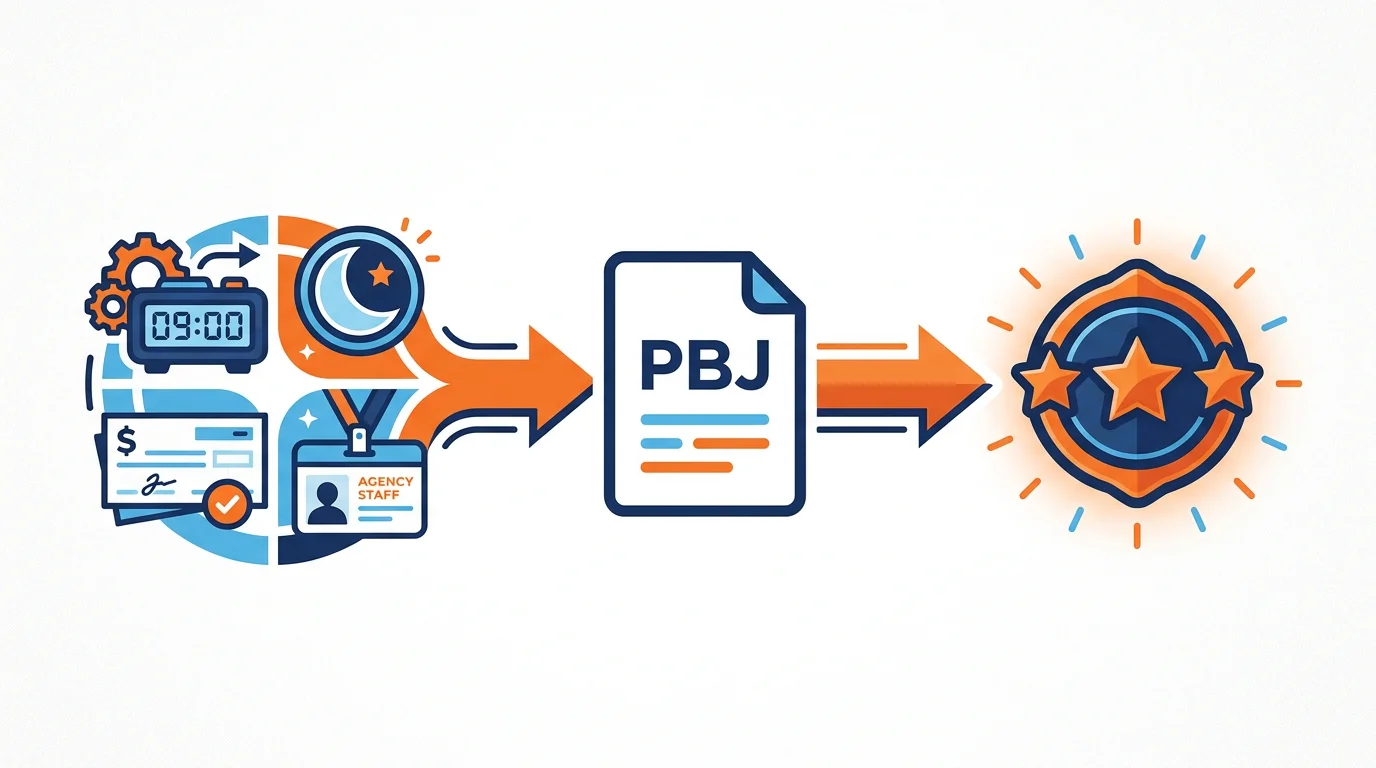
The reason we build this on UKG Ready is that it runs HR, timekeeping, scheduling, and payroll on one database. That sounds like a technical detail. For PBJ it is the whole thing, because the report only works when the hours, the job codes, and the pay all reference the same record.
Set up correctly, UKG Ready maps your internal job codes to the matching CMS categories, deducts the mandatory unpaid meal breaks whether or not you pay for them, and flags when a single employee ID would exceed the CMS cap of 22.5 hours in a day. Before the deadline it runs a reconciliation report so you can check hours against census, then exports the file in the exact CMS XML format and keeps a history of every prior submission.
The payoff is real and it is measured. Eventide Senior Living Communities used to spend more than 16 hours a quarter hand-building PBJ files. After moving to UKG Ready they cut PBJ reporting time by 99%, per UKG's own case study. That is a weekend handed back to your HR team, every quarter.
Buyers ask me how the big names stack up for PBJ specifically. Here is my honest read, by category.
| Platform | Where it fits | The PBJ reality for skilled nursing |
|---|---|---|
| Gusto | Simple small-business payroll | No native CMS PBJ XML export, and light automation for complex 24/7 clinical differentials. |
| ADP, Paychex | National all-in-one payroll at scale | Broad and capable, but support runs through call centers and rotating reps, and long-term care PBJ configuration is on you. |
| Paycor | Mid-market payroll and workforce management | Solid workforce tools. Note it has been part of Paychex since April 2025, so weigh the roadmap. |
| Workday, UKG Pro | Enterprise HCM for thousands of employees | Powerful, but heavier and longer to implement than a mid-market facility needs. |
| OnShift, Smartlinx | Long-term care scheduling tools | Strong clinical scheduling, but scheduling-centric, so PBJ leans on integrations to a separate payroll engine. |
| UKG Ready with Axiom | Mid-market long-term care, 50 to 2,000 employees | Single database, native one-click CMS XML export, configured and supported by named Axiom experts. |
Sources: UKG CMS Staffing Data Submission (PBJ) product documentation; UKG Eventide Senior Living case study; Workforce.com Best Payroll Software for Elder Care Facilities (2026); Align HCM Strategic Buyer's Guide to UKG; Paychex newsroom on the Paycor acquisition (April 2025). Confirm current vendor capabilities before relying on any single point.
PBJ is one job UKG Ready does for long-term care. It also runs acuity-based scheduling, credential hard-stops that keep an expired nurse off the floor, and frontline mobile tools. I cover how to pick the right platform in our full guide to HR software for healthcare.
How to prepare for a PBJ audit
You prepare for a PBJ audit the same way you prevent one: by keeping the payroll records that back every reported hour, ready to produce. CMS can ask you to prove your numbers, and the facilities that struggle are the ones whose payroll and PBJ file never fully agreed in the first place.
Keep your source records for at least the CMS retention window, and keep them tied to the quarter you submitted. That means time punches, the pay register, agency invoices with hours, and the daily census, all reconciling to the hours in the file. When those four agree, an audit is a document pull. When they do not, it is a scramble to explain a gap you cannot fully account for.
The audit findings I see most often are the same as the reporting mistakes: agency hours that were paid but never reported, differential hours that vanished into a bonus line, and census that does not match the staffing you claimed. Fix the configuration and you close all three at once.
When you do not need a partner like Axiom
Let me be straight, because that is the only way I know how to sell. Not everyone needs us for PBJ.
If you run a single small facility, your payroll and time system is already configured correctly, your differentials tie to hours, your agency labor already flows into your reporting, and someone on your team genuinely knows PBJ cold, then you do not need a partner. Keep doing what works. Do not pay for help you will not use.
Where we earn our keep is the messier reality. Multiple facilities. High agency use. State overtime quirks. A payroll setup you inherited and never trusted. A team that loses a weekend every quarter. If that is you, the math favors getting the configuration right once.
Losing weekends to PBJ?
We will look at how your hours, differentials, and agency labor flow, and show you where a clean PBJ file breaks. Professional work with a personal touch, from real people who know long-term care.
- 571 clients
- Since 2011
- UKG Ready Preferred Partner
- 90-day satisfaction guarantee
Frequently Asked Questions About PBJ reporting
What does PBJ stand for in healthcare?
PBJ stands for Payroll-Based Journal. It is the CMS program that requires long-term care facilities to submit direct-care staffing and census data, drawn from auditable payroll records, on a quarterly basis.
Is PBJ reporting mandatory?
Yes. PBJ reporting is mandatory for long-term care facilities that participate in Medicare or Medicaid. It was established under Section 6106 of the Affordable Care Act and is enforced by CMS.
How often is PBJ submitted?
PBJ is submitted quarterly. The deadline is 45 days after the end of each federal fiscal quarter, which usually falls around February 14, May 15, August 14, and November 14. Confirm current dates on the CMS Payroll-Based Journal page.
What data goes into a PBJ submission?
A PBJ submission includes direct-care staffing hours for both employees and agency or contract staff, each worker mapped to a CMS labor category, and daily resident census for every day of the quarter.
How does PBJ affect a facility's star rating?
PBJ data feeds the staffing domain of the CMS Five-Star Quality Rating System on Nursing Home Care Compare. Understated or missing hours can lower your staffing star rating, which is the rating families and referral sources see first.
Do agency and contract staff count toward PBJ?
Yes. Agency and contract direct-care hours count toward PBJ even though those workers are not on your payroll. Those hours often live in accounts payable, so they have to be bridged into the report or they get missed.
What happens if PBJ data is late or wrong?
A missed deadline can cause a quarter to be treated as not submitted, and inaccurate hours can trigger a CMS audit or a drop in your staffing star rating. Because the data is auditable, discrepancies against payroll are the fastest way to get flagged.
Can payroll software handle PBJ automatically?
It can, if it is configured correctly. When job categories, shift differentials, overtime, and agency hours are set up to match what PBJ expects, the quarterly file exports clean. Axiom configures UKG Ready for senior living operators so PBJ reconciles to payroll automatically.
How does UKG Ready help with PBJ reporting?
UKG Ready runs HR, timekeeping, scheduling, and payroll on one database, so PBJ hours reconcile to payroll by design. Configured correctly it maps job codes to CMS categories, deducts mandatory meal breaks, flags the 22.5-hour daily cap, runs a reconciliation report against census, and exports the CMS XML file in one step. Axiom configures and supports that setup for senior living operators.
Does Axiom help facilities outside of skilled nursing?
Yes. Axiom serves 571 mid-market employers with 50 to 2,000 employees across healthcare, long-term care, senior living, manufacturing, and construction, all from Indianapolis, Indiana. We work with operators who run skilled nursing alongside assisted living and other senior living lines.
External sources referenced: UKG CMS Staffing Data Submission (PBJ) documentation; UKG Eventide Senior Living case study; Workforce.com Best Payroll Software for Elder Care Facilities (2026); Align HCM Strategic Buyer's Guide to UKG; Paychex newsroom (Paycor acquisition, April 2025); CMS.gov Payroll-Based Journal; NSI 2026 National Health Care Retention Report.
About the Author
Andy Zelt is the Founder and CEO of Axiom Human Resource Solutions, a boutique HR outsourcing and UKG Ready partner headquartered in Indianapolis, Indiana. Andy has spent nearly 25 years in payroll, HR, and human capital management, helping organizations clean up payroll operations, improve HR processes, and build better workforce systems.
Andy specializes in helping organizations with 50 to 2,000 employees replace fragmented HR systems with integrated, accurately configured HCM platforms, particularly those in healthcare, manufacturing, construction, and long-term care.
Connect with Andy on LinkedIn.
About Axiom Human Resource Solutions
Axiom Human Resource Solutions is a boutique HR outsourcing, payroll services, and UKG Ready support firm headquartered in Indianapolis, Indiana. Axiom helps growing businesses manage payroll, HR administration, benefits, time and labor, compliance support, and workforce technology with dedicated, named experts instead of call centers.
Visit axiomhrs.com or call 317-587-1019.