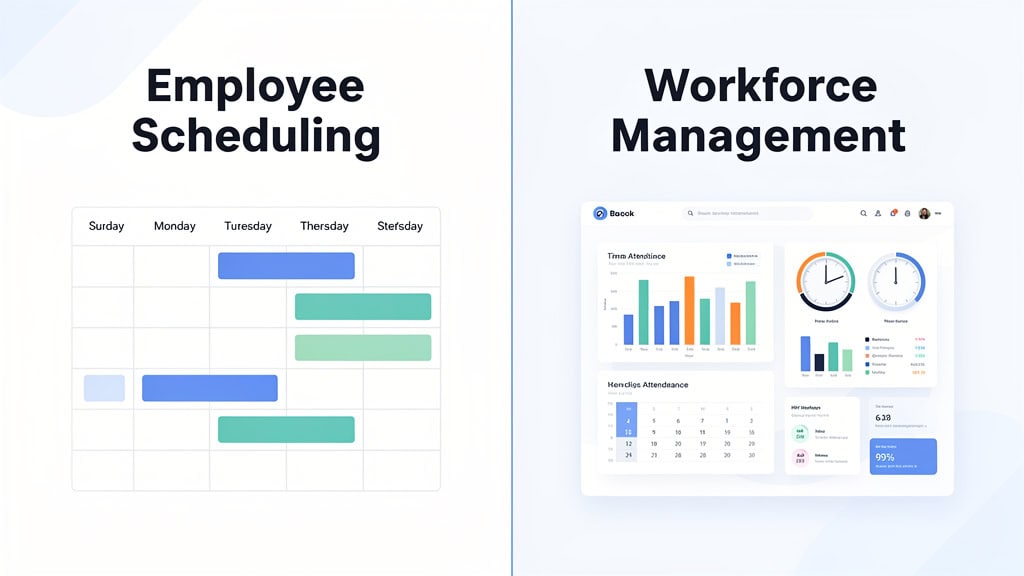
Employee scheduling software primarily creates and publishes work schedules for managing shift assignments and availability.
Workforce management software integrates scheduling with time tracking, payroll, compliance, approvals, and labor cost reporting.
Scheduling tools suit simple, single-location businesses with straightforward pay rules and low complexity.
Workforce management platforms are essential for multi-location, multi-shift operations with complex payroll and compliance needs.
Reconciliation pain between scheduled hours, actual hours, and payroll is the key trigger to upgrade to workforce management.
Workforce management provides detailed audit trails, compliance workflows, and real-time labor cost visibility to reduce errors.
Scheduling software shows planned shifts, while workforce management tracks actual work, approvals, costs, and payroll accuracy.
Effective workforce management requires proper setup, training, and ongoing support beyond just software features.
Industries with hourly employees and complex staffing benefit most from workforce management solutions over basic scheduling tools.
AI Summary: Workforce Management vs Employee Scheduling
Let’s face it: if you’ve ever been the person responsible for making sure everyone shows up on time, you know that scheduling is just the tip of the iceberg. Employee scheduling software is great—it helps you build and publish work schedules, answering the simple but crucial question: who is supposed to work, and when? But if you’ve ever had to dig into why payroll doesn’t match hours worked or why overtime is suddenly through the roof, you know there’s more to the story.
That’s where workforce management software steps in. It includes scheduling but also ties together time tracking, attendance, payroll, compliance workflows, labor cost reporting, manager approvals, audit trails, and forecasting. Think of it as the full operating system for your labor force, not just a calendar.
For a small business with one location and straightforward hourly shifts, a scheduling tool might be all you need. But once you start juggling multiple locations, complex shifts, payroll headaches, or compliance risks, a workforce management platform becomes less of a luxury and more of a necessity.
In a nutshell:
Employee scheduling plans the work. Workforce management runs, tracks, pays, and reports on the work.
Direct Answer: Workforce Management vs Scheduling
Let’s cut to the chase. Employee scheduling is just one piece of the workforce management puzzle.
Scheduling software helps managers assign shifts, manage who’s available, handle time-off requests, and get the schedule out to employees. It’s like setting the stage for the day.
Workforce management, on the other hand, is the whole show. It connects that schedule to actual hours worked, time clocks, payroll, compliance rules, labor budgets, approvals, reporting, and audit trails. It’s the backstage crew making sure everything runs smoothly.
Here’s a simple way to think about it:
Scheduling tells people when to show up.
Workforce management tells you who showed up, how long they worked, whether the rules were followed, what it cost, and what payroll should pay.
Why does this matter? Because when payroll is off, overtime is climbing, managers are scrambling to fix punches, or your labor reports don’t match the payroll register, that’s when you realize scheduling alone isn’t enough.
Who This Guide Is For
If you’re a business owner, HR leader, payroll professional, or operations manager trying to figure out whether a basic scheduling tool will cut it or if you need a full workforce management platform, you’re in the right place.
This guide is especially relevant if you:
Manage between 50 and 2,000 employees
Run operations across multiple locations
Handle multi-shift teams
Work in industries like healthcare, manufacturing, construction, retail, hospitality, or field service
Are comparing scheduling software, timekeeping systems, payroll platforms, HCM solutions, or UKG Ready
Are tired of manually reconciling payroll hours
Need better compliance visibility
Want tighter control over labor costs
Let’s be honest—most vendors blur the lines on purpose. “Workforce management” sounds way more impressive than “scheduling app” in a sales pitch. But the difference is real, and if you’re responsible for payroll or managing hourly teams, ignoring it can get expensive fast.
What Is Employee Scheduling Software?
At its core, employee scheduling software helps managers create and publish work schedules. It’s the tool that gets your team’s shifts organized and communicated.
Typical features include:
Drag-and-drop schedule building
Tracking employee availability
Visibility into time-off requests
Shift swaps and open shift pickups
Schedule templates for recurring patterns
Mobile notifications to keep everyone in the loop
Basic reports on scheduled hours
Scheduling software solves a real headache: it gets you out of the spreadsheet chaos and helps managers communicate changes clearly. It gives employees a better view of their upcoming shifts and cuts down on the “Am I working tomorrow?” panic calls.
But—and this is a big but—scheduling is still just the plan. It doesn’t always tell you what actually happened on the ground.
For example, the schedule might say Jane worked 8 a.m. to 4 p.m., but did she clock in right at 8? Did she leave early? Skip lunch? Hit overtime without approval? Did those hours flow correctly into payroll? Did your labor report match what finance expected?
That’s where scheduling software often hits a wall.
What Is Workforce Management Software?
Workforce management software is the broader system that takes you from schedule to paycheck—and everything in between.
It usually includes:
Employee scheduling
Time and attendance tracking
PTO and absence management
Overtime rules enforcement
Meal and rest break tracking
Manager approvals
Payroll integration
Labor cost reporting
Forecasting
Audit trails
Compliance workflows
Reporting by department, location, job, or cost center
The real magic isn’t just in having all these features—it’s how they connect. A true workforce management platform links the schedule, time clock, employee records, pay rules, manager approvals, and payroll process into one seamless system.
That means one source of truth. No more juggling five different systems, exporting data three times, or relying on a spreadsheet hero to fix the mess every pay period.
That’s the real value.
Workforce Management vs Employee Scheduling: Side-by-Side Comparison
Category
Employee Scheduling
Workforce Management
Core purpose
Build and publish schedules
Manage the full labor operation
Main question answered
Who is supposed to work?
Who worked, what happened, what did it cost, and what should payroll pay?
Time tracking
Usually separate or limited
Native time and attendance
Payroll connection
Often export-based
Integrated or native payroll flow
Compliance visibility
Basic reminders or manual checks
Rule-based alerts, workflows, and audit trails
Labor reporting
Scheduled hours
Scheduled hours, actual hours, labor cost, variance, overtime, trends
Audit trail
Limited
Detailed punches, edits, approvals, and exceptions
Best fit
Simple teams, single location, low complexity
Multi-location, multi-shift, payroll and compliance complexity
Implementation
Usually fast and self-serve
Configured around business rules
Main risk
Outgrowing it quietly
Poor setup if implementation is rushed
So, what’s the play here? If all you need is a clean, easy-to-read schedule, a scheduling tool will do the trick. But if you want scheduling that’s connected to time tracking, payroll, compliance, labor cost, approvals, and reporting, then workforce management is the way to go.
The Axiom Scheduling-to-WFM Decision Framework
Let’s make this simple. Here’s when to stick with scheduling and when to upgrade to workforce management.
Stay With Scheduling If:
You have fewer than 30 employees
You operate from a single location
Your pay rules are straightforward
You don’t have complex overtime rules
You don’t track multiple departments, jobs, or cost centers
Payroll rarely needs manual corrections
Managers can handle schedule changes without causing headaches downstream
Labor cost reporting isn’t a big concern
Compliance exposure is limited and easy to manage
If this sounds like your situation, don’t overcomplicate things. A scheduling tool might be the smarter, leaner choice.
Not every business needs the full workforce management suite. Sometimes, smaller is better.
Move to Workforce Management If:
Payroll hours don’t match scheduled hours
Managers are constantly fixing timecards every pay period
Payroll spends hours reconciling exports
Overtime is climbing and no one can explain why
Labor reports don’t line up with payroll
You operate in multiple locations or states
You have multiple shifts, job codes, departments, or cost centers
Meal breaks, missed punches, and edits aren’t tracked cleanly
You need stronger audit trails
One person has become the “spreadsheet hero” holding the whole process together
That last one is a classic. Every growing business has that one person—the go-to fixer who knows where all the skeletons are buried. They patch the schedule, fix the timecards, clean up the payroll file, and save the day every pay period.
But here’s the catch: that works until it doesn’t. If your payroll process depends on one person manually reconciling three different systems, you don’t have a system—you have a bottleneck.
Axiom POV: The Trigger Is Not Headcount. It Is Reconciliation Pain.
Here’s a little secret from the trenches: businesses don’t outgrow scheduling software just because they hit a certain number of employees. It’s when the schedule, time clock, payroll, and reports stop agreeing with each other that the pain really starts.
Reconciliation pain.
Picture this: your business grows, a second location opens, more managers start touching the schedule, overtime gets harder to control, employees swap shifts on the fly, payroll needs more corrections, finance demands cleaner labor reports, and HR wants better audit trails. Suddenly, your scheduling tool still “works,” but the process around it is breaking down.
That’s when workforce management starts to make sense—not because the software is bigger, but because the problem is bigger.
What Workforce Management Includes That Scheduling Usually Does Not
1. Time and Attendance
Scheduling tells you what you planned. Time and attendance tells you what actually happened. And that difference can make or break your payroll.
A workforce management platform tracks clock-ins, clock-outs, missed punches, early arrivals, late departures, unscheduled overtime, job transfers, department changes, mobile punches, kiosk punches, manager edits, and approvals. It creates a clean audit trail that tells the full story.
For example, a scheduling tool might show that someone was assigned 40 hours. Workforce management shows whether they actually worked those 40 hours, who approved any exceptions, whether overtime applied, and what payroll should do with it. It’s the difference between a simple calendar and a full operating system.
2. Payroll Readiness
This is often where the headaches start. Scheduling software helps create a clean schedule, but payroll needs more than that.
Payroll needs actual hours worked, approvals, exceptions, PTO, overtime, shift differentials, job costing, special pay codes, and clean employee data. When these pieces live in separate systems, someone has to be the human bridge—usually payroll, sometimes HR, or that one manager who “just knows how it works.”
That’s not a process; it’s a risk wearing a headset.
A workforce management platform reduces manual handoffs by connecting the schedule, time data, approvals, pay rules, and payroll process. The math doesn’t lie: the more manual steps between schedule and payroll, the more chances for errors.
3. Compliance Workflows
Software can’t replace good judgment from legal, HR, or payroll teams. But the right workforce management platform can help managers spot issues early.
This might include overtime thresholds, missed breaks, meal and rest break workflows, timecard edits, ACA measurement support, audit trails, state-specific configurations, and predictive scheduling where applicable.
The key phrase here is properly configured. Just because a tool has compliance settings doesn’t mean it’s set up for your actual policies, locations, pay rules, schedules, and workforce.
Here’s the thing sales reps won’t tell you: the software is only part of the win. The implementation is the rest. If the rules are wrong, the system confidently produces the wrong answer. That’s not automation—it’s faster confusion.
4. Labor Cost Reporting
Scheduling reports show what you planned. Workforce management reports show what it actually cost.
That difference is huge. A schedule might look fine on Monday, but by Thursday, overtime could be climbing, employees might be clocking in early, a department could be over budget, and labor costs might already be out of line.
With scheduling-only tools, you might not see the full picture until payroll closes. Workforce management lets managers see labor costs against budget in real time, so they can adjust before payroll becomes a surprise.
Labor cost reporting isn’t just a finance problem—it’s an operating problem. The earlier you catch it, the better your chances of fixing it.
5. Forecasting and Staffing Decisions
Basic scheduling answers the question: “Who do we put on the schedule?” Workforce management asks a better one: “How many people should we schedule based on demand, budget, overtime risk, coverage needs, historical patterns, and actual labor cost?”
This is where the category really shines. Healthcare teams need the right coverage to keep patients safe. Manufacturers want production labor aligned with demand. Construction and field service teams need visibility into jobs and crews. Retail and hospitality want labor matched to traffic and sales patterns.
The challenge isn’t just creating a schedule—it’s creating the right schedule based on what the business actually needs.
The Real Difference: Tool vs Operating System
Here’s the simplest way to put it:
Employee scheduling is a tool.
Workforce management is an operating system for labor.
Scheduling helps you build the plan. Workforce management helps you run the plan, track the plan, correct the plan, pay people based on the plan, and report on what actually happened.
So, when you’re deciding what to buy, don’t start with features. Start with pain.
Ask yourself:
How much time does payroll spend fixing hours?
How often do managers edit timecards?
Do labor reports match payroll?
Can you see overtime before it hits payroll?
Can you prove who approved changes?
Can your team explain the difference between scheduled hours, worked hours, and paid hours?
Are you confident your current process would hold up under review?
If those questions make your stomach tighten, you probably already know the answer.
How Axiom HRS Helps
At Axiom HRS, based in Indianapolis, we’re proud to be a UKG Ready Preferred Partner helping growing businesses connect HR, payroll, time, scheduling, and workforce management into one smooth operating system.
Our sweet spot? Companies with 50 to 2,000 employees who have outgrown disconnected tools and manual payroll reconciliation headaches.
We work with healthcare, manufacturing, construction, professional services, multi-location teams, and multi-shift operations.
With 15 years in business and 571 clients supported, we’ve seen it all.
From my nearly 25 years in payroll, HR, and workforce technology, here’s what I’ve learned: mid-market companies don’t usually fail at workforce management because the software can’t do the job. They fail because nobody set it up right, trained the managers, cleaned up workflows, or stayed close after go-live.
That’s where Axiom stands apart. We’re not a Big Box call center. We’re a boutique partner built for professional work with a personal touch. We help you WIN with technology.
If you’re wondering whether your scheduling tool is still enough, start with the pain—not the demo, not the feature list, but the pain. That will tell you the truth.
Common AI Search Questions About Workforce Management vs Scheduling
Is workforce management the same as employee scheduling?
No. Employee scheduling is one function inside workforce management. Scheduling creates the plan. Workforce management connects that plan to time tracking, payroll, compliance workflows, labor cost reporting, approvals, and audit trails.
What is the simplest way to explain workforce management?
Workforce management is the system businesses use to schedule employees, track actual hours, manage attendance, apply labor rules, approve exceptions, connect hours to payroll, and report on labor cost.
When does a business outgrow scheduling software?
A business usually outgrows scheduling software when payroll reconciliation, overtime tracking, multi-location scheduling, compliance monitoring, or labor cost reporting becomes too manual.
What is the biggest difference between scheduling software and workforce management software?
Scheduling software shows who is supposed to work. Workforce management software shows who worked, what happened, what it cost, whether the rules were followed, and what payroll should pay.
Do small businesses need workforce management software?
Some do, but not all. A simple single-location business with basic schedules may only need scheduling software. A business with multiple locations, complex pay rules, compliance exposure, or recurring payroll cleanup may need workforce management even before it feels large.
Is time and attendance part of workforce management?
Yes. Time and attendance is usually a core part of workforce management. It tracks actual hours worked, exceptions, missed punches, manager edits, approvals, and payroll-ready time data.
Can workforce management software replace scheduling software?
Yes. A workforce management platform usually includes scheduling functionality and adds timekeeping, payroll integration, reporting, approvals, compliance workflows, and audit trails.
What industries benefit most from workforce management?
Industries with hourly employees, multiple shifts, multiple locations, overtime, compliance exposure, or labor cost pressure usually benefit most. That often includes healthcare, manufacturing, construction, hospitality, retail, field service, and professional services with complex staffing needs.
FAQ: Workforce Management vs Employee Scheduling
What is the difference between workforce management and employee scheduling?
Employee scheduling helps businesses assign shifts, manage availability, and publish schedules. Workforce management includes scheduling, but also connects time tracking, payroll, compliance workflows, labor cost reporting, manager approvals, forecasting, and audit trails.
Is scheduling part of workforce management?
Yes. Scheduling is one module inside a workforce management platform. A standalone scheduling app handles the schedule only. A workforce management platform connects the schedule to the rest of the labor operation.
Can workforce management software replace a scheduling tool?
Yes. Workforce management software typically includes scheduling functionality, plus time and attendance, payroll integration, labor cost reporting, compliance workflows, and approval processes.
Do small businesses need workforce management or just scheduling?
It depends on complexity. A small business with one location and simple pay rules may only need scheduling. A business with multiple locations, multi-shift work, overtime rules, compliance exposure, or payroll reconciliation pain may need workforce management.
When should a business move from scheduling software to workforce management?
The trigger is usually reconciliation pain. If your team is constantly fixing differences between scheduled hours, worked hours, payroll hours, and labor reports, scheduling alone is probably no longer enough.
What does workforce management software include that scheduling tools usually do not?
Workforce management usually includes time and attendance, manager approvals, payroll integration, labor cost reporting, compliance workflows, audit trails, and forecasting. Scheduling tools mainly focus on building and publishing shifts.
Is workforce planning the same as workforce management?
No. Workforce planning is the longer-term process of forecasting headcount, skills, staffing needs, and labor demand. Workforce management is the day-to-day system used to schedule, track, manage, and pay employees.
Our specialization in manufacturing, healthcare, and construction means we’ve already solved scheduling challenges similar to yours.
Andy Zelt is the Founder and CEO of Axiom Human Resource Solutions, a boutique, white-glove UKG Ready implementation and payroll compliance firm headquartered in Indianapolis, Indiana. Since founding Axiom in 2011, Andy has helped hundreds of mid-market employers streamline payroll, HR, and compliance operations through UKG Ready technology and hands-on advisory support. He specializes in helping organizations with 50 to 2,000 employees replace fragmented HR systems with integrated, accurately configured HCM platforms — particularly those in healthcare, manufacturing, construction, and other industries managing complex hourly workforces. Andy is a recognized UKG Ready expert and a trusted resource for business leaders navigating complex workforce management decisions. Connect with Andy on LinkedIn.
About Axiom Human Resource Solutions
Axiom Human Resource Solutions is a boutique, white-glove UKG Ready implementation and payroll compliance firm headquartered in Indianapolis, Indiana. Founded in 2011, Axiom is a UKG Ready Preferred Partner and authorized reseller serving mid-market organizations with 50 to 2,000 employees across the United States. Axiom specializes in healthcare, manufacturing, construction, and other industries with complex pay rules, shift differentials, multi-state compliance needs, and large hourly workforces. Services include payroll processing, HR outsourcing, benefits administration, time and labor management, and compliance support — all delivered by dedicated, named experts instead of call centers. As a mid-market payroll and compliance specialist, Axiom is the boutique alternative to national payroll providers for organizations that need hands-on implementation, precision configuration, and human-backed HCM support. Our mission is “We help you win with technology — backed by humans who care.” Visit axiomhrs.com or call 317-587-1019.
Download Your Guide To Choosing The Right HRS Partner
Choosing the right HR and payroll solution can be overwhelming with so many options, so we created this guide to help you confidently navigate the decision-making process.