
A workforce management system (WMS) is the software that runs the operational layer of HR end-to-end: scheduling, time tracking, labor cost analysis, forecasting, and the compliance rules holding it together. It manages who is working, when they are working, what they are working on, and at what labor cost.
This guide breaks down what a workforce management system actually does, the tools it includes, the benefits worth measuring, and a practical implementation plan for companies in the 50 to 2,000-employee range.
What Is a Workforce Management System?
A workforce management system is software that plans, schedules, tracks, and analyzes labor across an organization. It builds demand-driven schedules, captures clock-ins from any device, enforces overtime and predictive scheduling rules at the time clock, and surfaces labor cost by location and shift in real time.
Key benefits operators see when this layer runs cleanly:
- Cleaner payroll data. Time, schedule, and pay data flow through one system, not separate tools reconciled at month-end.
- Tighter labor cost control. Real-time dashboards catch budget drift mid-week, not at payday.
- Compliance accuracy. Federal, state, and local labor rules apply automatically at the time clock.
- Faster schedule publishing. Demand-based templates replace spreadsheet rebuilds.
- Mobile self-service. Employees swap shifts and view pay stubs from a phone instead of through a manager.
8 Types of Workforce Management Tools
WMS automates scheduling, time and attendance tracking, labor forecasting, and compliance to lower labor costs, reduce payroll errors, and free up HR capacity. Workforce management software returns $12.24 for every dollar spent, per Nucleus Research. Here are the eight tools that deliver those results:
Employee Scheduling Software
Employee scheduling software builds shift schedules, matches employees to shifts by skill and availability, and enforces labor rules at the point of scheduling to cut overstaffing, control overtime, and stay compliant with fair workweek laws.
Capabilities to look for:
- Demand-based scheduling driven by historical sales, foot traffic, or transaction volume.
- Skill and certification matching. Shifts get assigned to employees who hold the required credentials. For example, a shift requiring an active CNA certification cannot be assigned to an employee whose certification has expired.
- Templates for 24/7 operations, rotating shifts, and weekend coverage.
- Predictive scheduling compliance with local fair workweek laws.
- Mobile schedule access, swap, and shift requests.
Time and Attendance Tracking
Time and attendance tracking captures clock-ins, breaks, and overtime in real time and applies labor rules before payroll runs to produce accurate timesheets, prevent buddy punching, and keep payroll compliant.
Capabilities to look for:
- Multiple clock-in methods: mobile, web, biometric clocks, kiosks, tablets.
- Geofencing and Global Positioning System (GPS) verification for field workers.
- Photo verification at clock-in to prevent buddy punching.
- Offline capability with automatic sync.
- Automated meal-break and rest-break enforcement.
- Location-specific Fair Labor Standards Act (FLSA) and overtime rules.
Labor Management System
A labor management system tracks labor cost against budget at the cost-center, location, and project level in real time to catch budget drift mid-week, control overtime, and protect margins.
Capabilities to look for:
- Real-time labor cost dashboards filtered by location, department, role, or shift.
- Budget vs. actual tracking with variance alerts.
- Overtime threshold alerts before approval, not after.
- Job costing and labor allocation by cost center, project, or general ledger (GL) code.
- Predictive analytics for staffing forecasts.
Workforce Planning Tools
Workforce planning tools forecast staffing needs against business demand and surface gaps between current capacity and projected demand to support hiring decisions, training investments, and budget planning over the next two quarters.
Capabilities to look for:
- Demand forecasts by hour, day, week, and season.
- Headcount scenarios for hiring, attrition, and reorganizations.
- Gap analysis between current and forecasted workforce capacity.
- Skills-gap modeling tied to certification and learning data.
- Cost modeling across staffing scenarios.
Workforce Optimization Tools
Workforce optimization tools tune the workforce around productivity, cost, and engagement targets, using analytics to surface schedule patterns that improve service levels, reduce overtime, and lift retention.
Capabilities to look for:
- Performance analytics tied to staffing models.
- Comparative benchmarking across locations or branches.
- AI-powered recommendations for schedule adjustments.
- Engagement and turnover correlation against scheduling patterns.
- Root-cause analysis across teams, shifts, and managers over time.
Compliance Automation
Compliance automation enforces federal, state, and local labor rules inside the workforce management system to prevent regulatory penalties, reduce litigation exposure, and produce audit-ready trails automatically. Modern platforms apply FLSA overtime automatically, enforce meal and rest breaks at the time clock, surface predictive scheduling violations before a schedule is published, and track Affordable Care Act (ACA) hours toward eligibility thresholds.
The risks compliance automation reduces:
- Regulatory penalties from missed FLSA calculations, predictive scheduling fines, and ACA reporting errors.
- Litigation exposure on wage-and-hour class actions.
- Internal audit findings, since the platform produces audit logs automatically.
Workforce Analytics and Reporting
Workforce analytics and reporting turn headcount, hours, overtime, absenteeism, and labor cost data into dashboards that operations and HR leaders use to make staffing, hiring, and retention decisions.
Reports worth running repeatedly:
- Headcount and turnover by location and department.
- Overtime trending by team, shift, and manager.
- Absenteeism patterns by day, location, and role.
- Schedule adherence (planned vs. actual hours).
- Labor cost as a percentage of revenue.
- Time-to-fill and cost-per-hire from recruiting data.
Employee Self-Service for the Workforce
Employee self-service is the portal employees use to view schedules, swap shifts, request time off, view pay stubs, and update personal info from any device, reducing HR ticket volume and giving employees control over routine workflow.
Self-service is the volume control on how much administrative work the workforce management function generates. A platform with weak self-service quietly turns shift managers into HR help desks.
Workforce Management Software Examples by Company Size

Workforce management tools fall into three buyer tiers based on company size, operational complexity, and how much of HR each tool is built to support. The right tier depends on the workforce profile today and where the operation will be in 18 to 24 months.
Small Business Scheduling and Time Tracking Tools
Single-purpose scheduling and time-tracking apps fit companies with under 50 employees with simple, single-state, single-location operations. The category is dominated by mobile-first SaaS products priced low per user, focused on shift publishing, mobile clock-in, and shift swaps.
Mid-Market HCM Platforms With Workforce Management Built In
Mid-market HCM platforms fit companies between 50 and 2,000 employees, especially those with multi-state operations, shift-based workforces, or sustained compliance pressure. The category combines scheduling, time tracking, labor management, payroll, HR, benefits, recruiting, and analytics on one platform, ideally within a single database.
UKG Ready, the platform Axiom delivers, sits in this tier. Several other mid-market HCM products compete in the same segment; the relevant question for any vendor at this layer is whether the underlying data model is single-database or a multi-product suite stitched together by integrations.
Enterprise Workforce Management Suites
Enterprise workforce management suites fit companies with above 2,000 employees, often with multi-country payroll, complex labor union contracts, dedicated configuration teams, and heavy compliance reporting requirements.
8 Industries That Benefit Most From Workforce Management Software
Workforce management software produces the largest gains in industries where labor is the dominant cost line, schedules are complex, and compliance pressure is constant. Eight industries account for most of the volume.
- Healthcare. Nurses, certified nursing assistants, and therapists all carry credentials that have to match the shift. Patient demand drives staffing levels, not a fixed schedule template. The platform has to apply skill and certification matching, predictive scheduling rules, and overtime caps automatically.
- Retail. Foot traffic, transaction volume, and promotional calendars drive demand. Schedules need to flex weekly. Predictive scheduling laws apply in growing parts of the country. Mobile self-service is non-negotiable for a workforce that does not work at desks.
- Hospitality (restaurant and hotel). Variable shifts, tipped roles, and split-shift schedules all run through the time and attendance engine. A workforce management system that does not handle hospitality-specific scheduling and FLSA rules will create payroll problems for hospitality operators within a few weeks.
- Manufacturing. Plant-floor schedules, biometric clock-in for shift-based labor, certification and safety training tracking, and labor allocation to job orders are core requirements. Manufacturing operations that run 24/7 also need rotating-shift templates and overtime forecasting.
- Logistics and transportation. Driver hours of service, Department of Transportation (DOT) compliance, multi-site dispatch, and dispersed crew shift handoffs all run through the workforce management system. Real-time labor cost visibility by route and shipment turns dispatch from a guess into a margin decision.
- Field services and landscaping. A dispersed workforce needs GPS clock-in, geofencing, offline mobile capability, and demand-based scheduling that accounts for job location. Real-time labor cost visibility per job decides whether a contract makes money or loses it.
- Financial services. Lobby traffic, transaction volume, and customer service quality drive staffing. Axiom’s UKG Ready platform includes UKG Lobby, UKG Banking Scheduler, and UKG Banking Analytics, three tools built specifically for branch banking on top of the standard HCM.
- Contact centers and IT services. Staffing runs on 15-minute or hourly intervals built from call and ticket volume forecasts, and the schedule has to match agent certifications to call types so skill-based routing works. A single missed agent compounds queue wait times across the shift, which is why AI-powered forecasting and adherence tracking (agents scheduled vs. agents actually on calls) are core requirements.
In every case, the industry-specific layer is usually a thin overlay on top of a strong general workforce management system. A platform that handles healthcare, retail, hospitality, manufacturing, logistics, field services, financial services, and contact center operations on the same database is more flexible than separate point tools chosen by the industry.
Benefits of a Workforce Management System
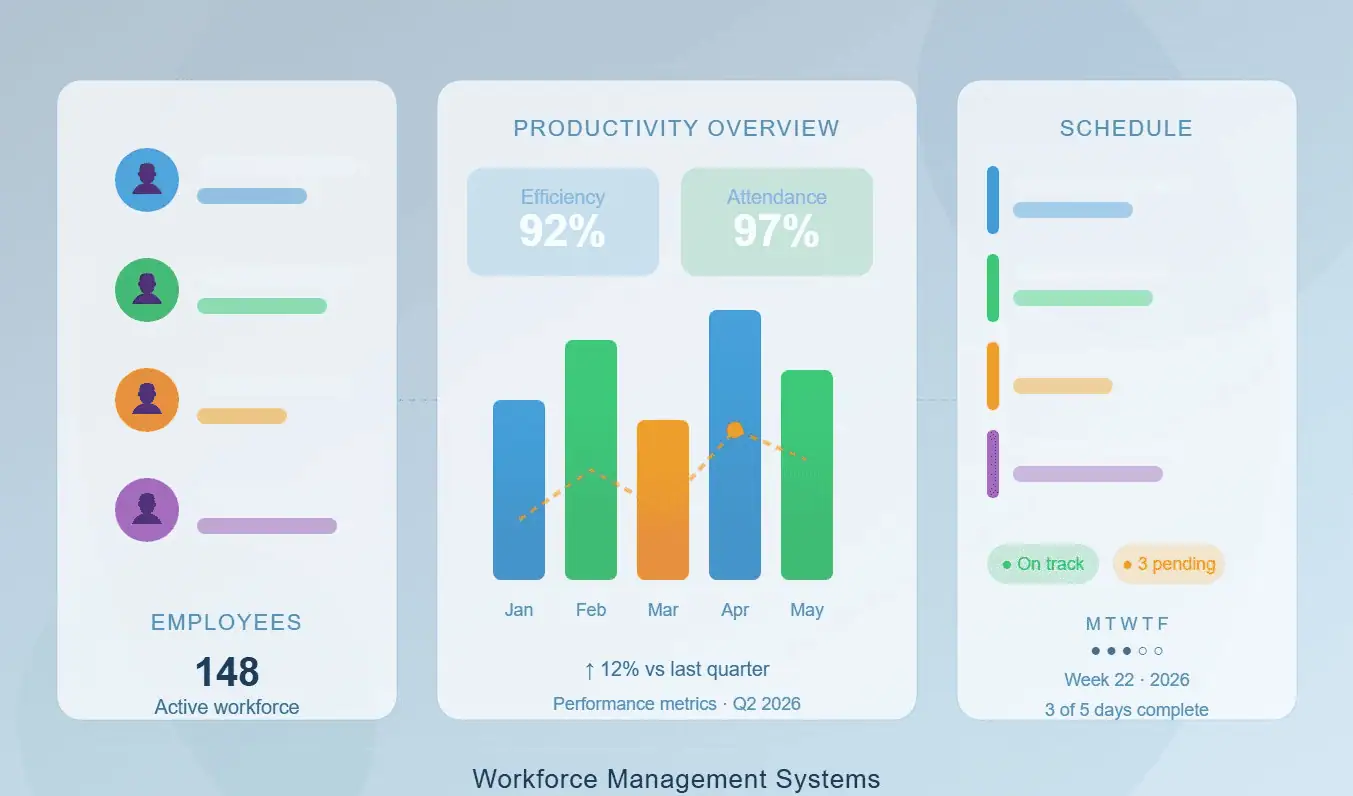
A workforce management system produces measurable benefits in five areas: labor cost, compliance, productivity, employee experience, and HR capacity.
Lower Labor Cost
Demand-based scheduling, overtime alerts, and real-time labor cost dashboards cut overstaffing in slow periods and overtime in peak periods. The savings compound across every shift, every week, in shift-based operations.
Higher Compliance Accuracy
Automated FLSA enforcement, meal-break tracking, predictive scheduling rule application, and ACA hours tracking move compliance from a manual checklist to a systemic function. Audit-ready records are generated automatically.
Better Productivity and Data-Driven Decisions
Skill-based scheduling, certification matching, and schedule templates cut the time managers spend building schedules and chasing certification gaps. Real-time analytics on labor cost, schedule adherence, and absenteeism give those same managers the data to forecast demand and intervene before payday.
Stronger Employee Experience
Mobile clock-in, self-service scheduling, shift swap, and time-off requests give employees control over the operational details of their work life. Engagement and retention tend to improve when employees can see their schedules two weeks out and swap shifts without a phone call.
Restored HR Capacity
When time, schedule, payroll, and HR data live in one database, the HR team stops being the integration layer between systems. The hours that used to go to reconciling timesheets, fixing overtime errors, and chasing missed certifications go back into workforce planning, manager training, employee programs, and (where the team needs reinforcement) HR outsourcing coverage on top of the platform.
Workforce Management Implementation Guide: From Demo to Three Clean Pay Cycles
Implementation is where most workforce management projects stall. A realistic plan moves through five phases over three to nine months for a mid-market HCM, depending on company size, multi-state complexity, and source data quality.
Timeline drivers: number of states in scope, integration count, source data quality, and the count of distinct schedule templates and pay rules.
Implementation involves three groups: the vendor’s implementation specialists, the client’s HR and finance team, and operations leaders for shift design.
The vendor owns configuration, data migration, parallel testing, and training delivery; the client owns data extraction, pay-rule sign-off, and employee communication.
Phase 1: Discover and Configure
Map the operational reality the platform has to support: pay rules by state, schedule templates by department, certification rules, overtime policies, predictive scheduling jurisdictions, and integrations to payroll, enterprise resource planning (ERP), and GL systems.
Phase 2: Migrate the Data
Migrate employee records, current schedules, time-off balances, certifications, and historical labor data into the new platform. Clean the source data before migration; quality drives the timeline more than volume. Resist migrating fifteen years of history when the platform really needs three.
Phase 3: Test in Parallel
Run the new platform alongside the old one for at least two pay cycles. Publish schedules, capture time data, and calculate payroll in both systems. Reconcile differences and correct the underlying configuration. Skipping parallel testing is the single most common cause of post-go-live payroll problems.
Phase 4: Train and Communicate
Train managers and supervisors and communicate with employees before go-live. Walk managers through schedule publication, exception handling, and approval workflows. Build mobile-app onboarding with screenshots and short walkthroughs, and set a clear escalation path for the first three pay cycles when exceptions are most common. A platform nobody knows how to use does not deliver value, no matter how strong the configuration is.
Phase 5: Go Live and Stabilize
Plan for the first three pay cycles to surface configuration gaps that did not appear in testing, and build a structured stabilization period with named specialists working through exceptions.
Implementation is successful when the first three pay cycles run cleanly, the schedule publication cadence holds steady, employees are clocking in and viewing schedules from their phones without manager intervention, and the manager dashboards reflect what is actually happening on the floor.
Common Mistakes Companies Make with Workforce Management Software
Five recurring mistakes account for most of the regret in workforce management purchases:
- Buying a scheduling tool when the problem is a labor management problem. A tool that builds schedules but cannot show real-time labor costs will not solve a labor cost problem. Define the problem before defining the category.
- Ignoring the deskless mobile experience. Most workforce management failures in shift-based operations trace back to a mobile experience that employees refuse to use. Test it on real devices before signing.
- Skipping the data-model question. Whether scheduling, time, labor cost, and payroll read from one database or sync across separate products is the variable that decides whether reconciliation work disappears or just moves into a new system. The cost-center transfer test makes the answer visible in five minutes.
- Underweighting the support model. Workforce management runs every day. The first time something breaks during a Friday payroll cutoff, the value of a named support contact becomes the entire purchase decision in retrospect.
- Skipping parallel testing. The temptation to compress the implementation timeline is constant. The cost of cutting parallel testing short usually exceeds the time it would have taken to do it.
Workforce Management Systems: Frequently Asked Questions
What Is a Workforce Management System Used For?
A workforce management system is used to schedule employees, track time and attendance, enforce labor laws, manage labor costs, and forecast staffing needs. It owns the operational layer between HR (which holds employee records) and payroll (which calculates pay).
What Is the Difference Between Workforce Management and HCM?
Workforce management is a subset of Human Capital Management. Workforce management focuses on scheduling, time, labor, and the operational layer around them. HCM is broader; it covers payroll, HR, benefits, recruiting, learning, and analytics in addition to workforce management.
What Are the Main Components of Workforce Management Software?
The main components are employee scheduling software, time and attendance tracking, labor management and cost analytics, workforce planning tools, workforce optimization tools, compliance automation, workforce analytics and reporting, and employee self-service. Strong platforms run all eight on one database, so data does not move between modules.
How Much Does Workforce Management Software Cost?
Workforce management software pricing is typically per employee per month, with module fees, implementation fees, and integration fees added on top. Standalone scheduling tools are the lowest-cost layer. Unified HCM platforms cost more overall but replace multiple tools, so the comparison is against total stack cost, not against a single line item.
Is Workforce Management Software the Same as Employee Scheduling Software?
No. Employee scheduling software is a component of workforce management. Scheduling tools build and publish schedules, while full workforce management platforms add time and attendance tracking, labor cost analytics, compliance automation, planning, and reporting. A scheduling tool that cannot see time data, labor cost, or payroll will not solve a workforce management problem.
How Long Does It Take to Implement Workforce Management Software?
Implementation timelines depend on company size, multi-state and multi-location complexity, the number of integrations, and the quality of the data being migrated. Standalone scheduling tools go live faster than full workforce management suites.
Do I Need a Standalone Workforce Management System or a Unified HCM?
A standalone workforce management system fits companies with stable HR and payroll tools that just need a stronger operational layer. A unified HCM with workforce management built in fits companies that have outgrown a fragmented stack and want time, payroll, HR, and benefits running on one database. The decision usually comes down to how much of the existing HR stack is worth keeping.
Related Resources
Choosing Workforce Management Software That Actually Fits Your Business
The cleanest way to choose workforce management software is to work backward from the operational problems that are visible today, the workflows that have to run reliably tomorrow, and the company size and complexity over the next eighteen months.
List the workforce moments that go wrong today: the late schedule publication, the missed overtime alert, the multi-state payroll error, and the open enrollment delay. Trace each one to the system it lives in.
From there, the category answer (scheduling tool, full workforce management suite, or unified HCM) and the vendor shortlist both narrow quickly. What remains is the support model, which deserves at least as much consideration as the platform itself.
Axiom HRS delivers a single-database HCM powered by UKG Ready, built for companies between 50 and 2,000 employees. Scheduling, time and attendance, labor management, workforce planning, payroll, HR, benefits, recruiting, onboarding, learning, and analytics all live in one database, paired with named payroll specialists and dedicated HR advisors who know the account.
If a sanity check on workforce management fit would help, the Axiom team can walk through what makes sense for a company at your size, in your industry, and where it is heading next. Start the conversation here →
⚡ Axiom’s Verdict
For companies between 50 and 2,000 employees, the HRIS vs HCM vs payroll software question usually resolves itself the hard way within 18 months. Only a single-database HCM gives HR the unified data model to scale without becoming the integration layer between five different tools.
Payroll software and basic HRIS platforms work fine when you’re small and straightforward. But if you’re stitching together payroll, time tracking, and benefits enrollment — or planning to grow past 200 — you need a unified platform configured for how you actually run. Axiom HRS delivers UKG Ready as a single-database HCM backed by a named team that knows your account.